kwcoco package
Subpackages
- kwcoco.cli package
- Submodules
- kwcoco.cli.__main__ module
- kwcoco.cli.coco_conform module
- kwcoco.cli.coco_eval module
- kwcoco.cli.coco_fixup module
- kwcoco.cli.coco_grab module
- kwcoco.cli.coco_info module
- kwcoco.cli.coco_modify_categories module
- kwcoco.cli.coco_move module
- kwcoco.cli.coco_move_assets module
- kwcoco.cli.coco_plot_stats module
- kwcoco.cli.coco_reroot module
- kwcoco.cli.coco_show module
- kwcoco.cli.coco_split module
- kwcoco.cli.coco_stats module
- kwcoco.cli.coco_subset module
- kwcoco.cli.coco_toydata module
- kwcoco.cli.coco_union module
- kwcoco.cli.coco_validate module
- kwcoco.cli.find_unregistered_images module
- kwcoco.cli.finish_install module
- Module contents
- Submodules
- kwcoco.data package
- kwcoco.demo package
- kwcoco.formats package
- kwcoco.metrics package
- Submodules
- kwcoco.metrics.assignment module
- kwcoco.metrics.clf_report module
- kwcoco.metrics.confusion_measures module
- kwcoco.metrics.confusion_vectors module
- kwcoco.metrics.detect_metrics module
- kwcoco.metrics.drawing module
- kwcoco.metrics.functional module
- kwcoco.metrics.segmentation_metrics module
SegmentationEvalConfigmain()SingleImageSegmentationMetricssingle_image_segmentation_metrics()_memo_legend()draw_confusion_image()colorize_class_probs()draw_truth_borders()draw_chunked_confusion()dump_chunked_confusion()evaluate_segmentations()_redraw_measures()_max_digits()associate_images()build_image_header_text()ensure_heuristic_coco_colors()ensure_heuristic_category_tree_colors()_ensure_distinct_dict_colors()colorize_weights()_poc_online_binary_saliency_measures_demo()
- kwcoco.metrics.sklearn_alts module
- kwcoco.metrics.voc_metrics module
- Module contents
BinaryConfusionVectorsConfusionVectorsDetectionMetricsDetectionMetrics._register_imagename()DetectionMetrics._to_coco()DetectionMetrics.add_predictions()DetectionMetrics.add_truth()DetectionMetrics.classesDetectionMetrics.clear()DetectionMetrics.confusion_vectors()DetectionMetrics.demo()DetectionMetrics.enrich_confusion_vectors()DetectionMetrics.from_coco()DetectionMetrics.pred_detections()DetectionMetrics.score_coco()DetectionMetrics.score_kwant()DetectionMetrics.score_kwcoco()DetectionMetrics.score_pycocotools()DetectionMetrics.score_voc()DetectionMetrics.summarize()DetectionMetrics.true_detections()
MeasuresOneVsRestConfusionVectorsPerClass_Measureseval_detections_cli()
- Submodules
- kwcoco.rc package
- kwcoco.util package
- Subpackages
- Submodules
- kwcoco.util.dict_like module
- kwcoco.util.dict_proxy2 module
- kwcoco.util.ijson_ext module
- kwcoco.util.jsonschema_elements module
- kwcoco.util.lazy_frame_backends module
- kwcoco.util.util_archive module
- kwcoco.util.util_deprecate module
- kwcoco.util.util_eval module
- kwcoco.util.util_futures module
- kwcoco.util.util_json module
- kwcoco.util.util_kwutil module
- kwcoco.util.util_monkey module
- kwcoco.util.util_networkx module
- kwcoco.util.util_parallel module
- kwcoco.util.util_reroot module
- kwcoco.util.util_rich module
- kwcoco.util.util_sklearn module
- kwcoco.util.util_special_json module
- kwcoco.util.util_truncate module
- kwcoco.util.util_windows module
- Module contents
ALLOF()ANYOF()ARRAY()ArchiveContainerElementsDictLikeElementIndexableWalkerNOT()OBJECT()ONEOF()QuantifierElementsScalarElementsSchemaElementsStratifiedGroupKFoldensure_json_serializable()find_json_unserializable()indexable_allclose()resolve_directory_symlinks()resolve_relative_to()smart_truncate()special_reroot_single()unarchive_file()
Submodules
- kwcoco.__main__ module
- kwcoco._helpers module
- kwcoco.abstract_coco_dataset module
- kwcoco.category_tree module
CategoryTreeCategoryTree.copy()CategoryTree.from_mutex()CategoryTree.from_json()CategoryTree.from_coco()CategoryTree.coerce()CategoryTree.demo()CategoryTree.to_coco()CategoryTree.id_to_idxCategoryTree.idx_to_idCategoryTree.idx_to_ancestor_idxs()CategoryTree.idx_to_descendants_idxs()CategoryTree.idx_pairwise_distance()CategoryTree.is_mutex()CategoryTree.num_classesCategoryTree.class_namesCategoryTree.category_namesCategoryTree.catsCategoryTree.index()CategoryTree.take()CategoryTree.subgraph()CategoryTree._build_index()CategoryTree.show()CategoryTree.forest_str()CategoryTree.print_graph()CategoryTree.normalize()
- kwcoco.channel_spec module
- kwcoco.coco_dataset module
MixinCocoDepricateMixinCocoAccessorsMixinCocoAccessors.delayed_load()MixinCocoAccessors.load_image()MixinCocoAccessors.get_image_fpath()MixinCocoAccessors._get_img_auxiliary()MixinCocoAccessors.get_auxiliary_fpath()MixinCocoAccessors.load_annot_sample()MixinCocoAccessors._resolve_to_id()MixinCocoAccessors._resolve_to_cid()MixinCocoAccessors._resolve_to_gid()MixinCocoAccessors._resolve_to_vidid()MixinCocoAccessors._resolve_to_trackid()MixinCocoAccessors._resolve_to_ann()MixinCocoAccessors._resolve_to_img()MixinCocoAccessors._resolve_to_kpcat()MixinCocoAccessors._resolve_to_cat()MixinCocoAccessors._alias_to_cat()MixinCocoAccessors.category_graph()MixinCocoAccessors.object_categories()MixinCocoAccessors.keypoint_categories()MixinCocoAccessors._keypoint_category_names()MixinCocoAccessors._lookup_kpnames()MixinCocoAccessors._coco_image()MixinCocoAccessors.coco_image()
MixinCocoConstructorsMixinCocoConstructors.coerce()MixinCocoConstructors.demo()MixinCocoConstructors.random()MixinCocoConstructors.empty()MixinCocoConstructors.load()MixinCocoConstructors.from_data()MixinCocoConstructors.from_image_paths()MixinCocoConstructors.from_class_image_paths()MixinCocoConstructors.coerce_multiple()MixinCocoConstructors.load_multiple()MixinCocoConstructors._load_multiple()MixinCocoConstructors.from_coco_paths()
MixinCocoExtrasMixinCocoExtras._tree()MixinCocoExtras._dataset_id()MixinCocoExtras._ensure_imgsize()MixinCocoExtras._ensure_image_data()MixinCocoExtras.missing_images()MixinCocoExtras.corrupted_images()MixinCocoExtras.normalize_category_ids()MixinCocoExtras.rename_categories()MixinCocoExtras._ensure_json_serializable()MixinCocoExtras._aspycoco()MixinCocoExtras.reroot()MixinCocoExtras.data_rootMixinCocoExtras.img_rootMixinCocoExtras.data_fpath
MixinCocoHashingMixinCocoObjectsMixinCocoStatsMixinCocoStats.n_annotsMixinCocoStats.n_imagesMixinCocoStats.n_catsMixinCocoStats.n_tracksMixinCocoStats.n_videosMixinCocoStats.category_annotation_frequency()MixinCocoStats.conform()MixinCocoStats.validate()MixinCocoStats.stats()MixinCocoStats.basic_stats()MixinCocoStats.extended_stats()MixinCocoStats.boxsize_stats()MixinCocoStats.find_representative_images()
MixinCocoDraw_normalize_intensity_if_needed()MixinCocoAddRemoveMixinCocoAddRemove.add_video()MixinCocoAddRemove.add_image()MixinCocoAddRemove.add_asset()MixinCocoAddRemove.add_auxiliary_item()MixinCocoAddRemove.add_annotation()MixinCocoAddRemove.add_category()MixinCocoAddRemove.add_track()MixinCocoAddRemove.ensure_video()MixinCocoAddRemove.ensure_track()MixinCocoAddRemove.ensure_image()MixinCocoAddRemove.ensure_category()MixinCocoAddRemove.add_categories()MixinCocoAddRemove.add_keypoint_categories()MixinCocoAddRemove.add_annotations()MixinCocoAddRemove.add_images()MixinCocoAddRemove.clear_images()MixinCocoAddRemove.clear_annotations()MixinCocoAddRemove.remove_annotation()MixinCocoAddRemove.remove_annotations()MixinCocoAddRemove.remove_categories()MixinCocoAddRemove.remove_tracks()MixinCocoAddRemove.remove_images()MixinCocoAddRemove.remove_videos()MixinCocoAddRemove.remove_annotation_keypoints()MixinCocoAddRemove.remove_keypoint_categories()MixinCocoAddRemove.set_annotation_category()
CocoIndexCocoIndex._setCocoIndex._images_set_sorted_by_frame_index()CocoIndex._set_sorted_by_frame_index()CocoIndex._annots_set_sorted_by_frame_index()CocoIndex.cid_to_gidsCocoIndex._add_video()CocoIndex._add_image()CocoIndex._add_images()CocoIndex._add_annotation()CocoIndex._add_keypoint_categories()CocoIndex._add_categories()CocoIndex._add_annotations()CocoIndex._add_category()CocoIndex._add_track()CocoIndex._remove_all_annotations()CocoIndex._remove_all_images()CocoIndex._remove_keypoint_categories()CocoIndex._remove_annotations()CocoIndex._remove_tracks()CocoIndex._remove_categories()CocoIndex._remove_images()CocoIndex._remove_videos()CocoIndex.clear()CocoIndex.build()
MixinCocoIndexCocoDatasetCocoDataset.fpathCocoDataset._update_fpath()CocoDataset._infer_dirs()CocoDataset.copy()CocoDataset.dumps()CocoDataset._compress_dump_to_fileptr()CocoDataset._dump()CocoDataset.dump()CocoDataset._check_json_serializable()CocoDataset._check_integrity()CocoDataset._check_warnables()CocoDataset._check_index()CocoDataset._check_pointers()CocoDataset._build_index()CocoDataset._abc_implCocoDataset.rebuild_index()CocoDataset.union()CocoDataset.subset()CocoDataset.view_sql()
demo_coco_data()
- kwcoco.coco_evaluator module
- kwcoco.coco_image module
_CocoObjectCocoImageCocoImage.from_gid()CocoImage.videoCocoImage.nameCocoImage.detach()CocoImage.assetsCocoImage.datetimeCocoImage.annots()CocoImage.stats()CocoImage.get()CocoImage.keys()CocoImage.channelsCocoImage.n_assetsCocoImage.num_channelsCocoImage.dsizeCocoImage.image_filepath()CocoImage.primary_image_filepath()CocoImage.primary_asset()CocoImage.iter_image_filepaths()CocoImage.iter_assets()CocoImage.iter_asset_objs()CocoImage.find_asset()CocoImage.find_asset_obj()CocoImage._assets_key()CocoImage.add_annotation()CocoImage.add_asset()CocoImage.imdelay()CocoImage.valid_region()CocoImage.warp_vid_from_imgCocoImage.warp_img_from_vidCocoImage._warp_for_resolution()CocoImage._annot_segmentation()CocoImage._annot_segmentations()CocoImage.resolution()CocoImage._scalefactor_for_resolution()CocoImage._detections_for_resolution()CocoImage.add_auxiliary_item()CocoImage.delay()CocoImage.show()CocoImage.draw()
CocoAssetCocoVideoCocoAnnotationCocoCategoryCocoTrack_delay_load_imglike()parse_quantity()coerce_resolution()
- kwcoco.coco_objects1d module
ObjectList1DObjectList1D._id_to_objObjectList1D.unique()ObjectList1D.idsObjectList1D.objs_iter()ObjectList1D.objsObjectList1D.take()ObjectList1D.compress()ObjectList1D.peek()ObjectList1D.lookup()ObjectList1D.sort_values()ObjectList1D.get()ObjectList1D.get_iter()ObjectList1D._iter_get()ObjectList1D.set()ObjectList1D._set()ObjectList1D._lookup()ObjectList1D.attribute_frequency()
ObjectGroupsCategoriesVideosImagesAnnotsTracksAnnotGroupsImageGroups_BaseViewObjViewCocoImageView
- kwcoco.coco_schema module
- kwcoco.coco_sql_dataset module
FallbackCocoBaseCategoryKeypointCategoryVideoImageTrackAnnotationAnnotation.idAnnotation.image_idAnnotation.category_idAnnotation.track_idAnnotation.segmentationAnnotation.keypointsAnnotation.bboxAnnotation._bbox_xAnnotation._bbox_yAnnotation._bbox_wAnnotation._bbox_hAnnotation.scoreAnnotation.weightAnnotation.probAnnotation.iscrowdAnnotation.captionAnnotation._unstructuredAnnotation._sa_class_manager
clsorm_to_dict()dict_restructure()_orm_yielder()_raw_yielder()_new_proxy_cache()SqlListProxySqlDictProxySqlIdGroupDictProxyCocoSqlIndex_handle_sql_uri()CocoSqlDatabaseCocoSqlDatabase.MEMORY_URICocoSqlDatabase.coerce()CocoSqlDatabase.disconnect()CocoSqlDatabase.connect()CocoSqlDatabase.fpathCocoSqlDatabase.delete()CocoSqlDatabase.table_names()CocoSqlDatabase.populate_from()CocoSqlDatabase.datasetCocoSqlDatabase.annsCocoSqlDatabase.catsCocoSqlDatabase.imgsCocoSqlDatabase.name_to_catCocoSqlDatabase.pandas_table()CocoSqlDatabase.raw_table()CocoSqlDatabase._raw_tables()CocoSqlDatabase._column_lookup()CocoSqlDatabase._all_rows_column_lookup()CocoSqlDatabase.tabular_targets()CocoSqlDatabase._table_names()CocoSqlDatabase.bundle_dpathCocoSqlDatabase.data_fpathCocoSqlDatabase._orig_coco_fpath()CocoSqlDatabase._abc_implCocoSqlDatabase._cached_hashid()
cached_sql_coco_view()ensure_sql_coco_view()demo()assert_dsets_allclose()_benchmark_dset_readtime()_benchmark_dict_proxy_ops()devcheck()
- kwcoco.compat_dataset module
- kwcoco.exceptions module
- kwcoco.kpf module
- kwcoco.kw18 module
- kwcoco.sensorchan_spec module
Module contents
The Kitware COCO module defines a variant of the Microsoft COCO format, originally developed for the “collected images in context” object detection challenge. We are backwards compatible with the original module, but we also have improved implementations in several places, including segmentations, keypoints, annotation tracks, multi-spectral images, and videos (which represents a generic sequence of images).
A kwcoco file is a “manifest” that serves as a single reference that points to all images, categories, and annotations in a computer vision dataset. Thus, when applying an algorithm to a dataset, it is sufficient to have the algorithm take one dataset parameter: the path to the kwcoco file. Generally a kwcoco file will live in a “bundle” directory along with the data that it references, and paths in the kwcoco file will be relative to the location of the kwcoco file itself.
The main data structure in this model is largely based on the implementation in https://github.com/cocodataset/cocoapi It uses the same efficient core indexing data structures, but in our implementation the indexing can be optionally turned off, functions are silent by default (with the exception of long running processes, which optionally show progress by default). We support helper functions that add and remove images, categories, and annotations.
The kwcoco.CocoDataset class is capable of dynamic addition and removal
of categories, images, and annotations. Has better support for keypoints and
segmentation formats than the original COCO format. Despite being written in
Python, this data structure is reasonably efficient.
>>> import kwcoco
>>> import json
>>> # Create demo data
>>> demo = kwcoco.CocoDataset.demo()
>>> # Reroot can switch between absolute / relative-paths
>>> demo.reroot(absolute=True)
>>> # could also use demo.dump / demo.dumps, but this is more explicit
>>> text = json.dumps(demo.dataset)
>>> with open('demo.json', 'w') as file:
>>>    file.write(text)

>>> # Read from disk
>>> self = kwcoco.CocoDataset('demo.json')

>>> # Add data
>>> cid = self.add_category('Cat')
>>> gid = self.add_image('new-img.jpg')
>>> aid = self.add_annotation(image_id=gid, category_id=cid, bbox=[0, 0, 100, 100])

>>> # Remove data
>>> self.remove_annotations([aid])
>>> self.remove_images([gid])
>>> self.remove_categories([cid])

>>> # Look at data
>>> import ubelt as ub
>>> print(ub.urepr(self.basic_stats(), nl=1))
>>> print(ub.urepr(self.extended_stats(), nl=2))
>>> print(ub.urepr(self.boxsize_stats(), nl=3))
>>> print(ub.urepr(self.category_annotation_frequency()))


>>> # Inspect data
>>> # xdoctest: +REQUIRES(module:kwplot)
>>> import kwplot
>>> kwplot.autompl()
>>> self.show_image(gid=1)

>>> # Access single-item data via imgs, cats, anns
>>> cid = 1
>>> self.cats[cid]
{'id': 1, 'name': 'astronaut', 'supercategory': 'human'}

>>> gid = 1
>>> self.imgs[gid]
{'id': 1, 'file_name': '...astro.png', 'url': 'https://i.imgur.com/KXhKM72.png'}

>>> aid = 3
>>> self.anns[aid]
{'id': 3, 'image_id': 1, 'category_id': 3, 'line': [326, 369, 500, 500]}

>>> # Access multi-item data via the annots and images helper objects
>>> aids = self.index.gid_to_aids[2]
>>> annots = self.annots(aids)

>>> print('annots = {}'.format(ub.urepr(annots, nl=1, sv=1)))
annots = <Annots(num=2)>

>>> annots.lookup('category_id')
[6, 4]

>>> annots.lookup('bbox')
[[37, 6, 230, 240], [124, 96, 45, 18]]

>>> # built in conversions to efficient kwimage array DataStructures
>>> print(ub.urepr(annots.detections.data, sv=1))
{
    'boxes': <Boxes(xywh,
                 array([[ 37.,   6., 230., 240.],
                        [124.,  96.,  45.,  18.]], dtype=float32))>,
    'class_idxs': [5, 3],
    'keypoints': <PointsList(n=2)>,
    'segmentations': <PolygonList(n=2)>,
}

>>> gids = list(self.imgs.keys())
>>> images = self.images(gids)
>>> print('images = {}'.format(ub.urepr(images, nl=1, sv=1)))
images = <Images(num=3)>

>>> images.lookup('file_name')
['...astro.png', '...carl.png', '...stars.png']

>>> print('images.annots = {}'.format(images.annots))
images.annots = <AnnotGroups(n=3, m=3.7, s=3.9)>

>>> print('images.annots.cids = {!r}'.format(images.annots.cids))
images.annots.cids = [[1, 2, 3, 4, 5, 5, 5, 5, 5], [6, 4], []]
CocoDataset API
The following is a logical grouping of the public kwcoco.CocoDataset API attributes and methods. See the in-code documentation for further details.
CocoDataset classmethods (via MixinCocoConstructors)
kwcoco.CocoDataset.coerce- Attempt to transform the input into the intended CocoDataset.
kwcoco.CocoDataset.coerce_multiple- Coerce multiple CocoDataset objects in parallel.
kwcoco.CocoDataset.demo- Create a toy coco dataset for testing and demo purposes
kwcoco.CocoDataset.empty- Create an empty dataset
kwcoco.CocoDataset.from_class_image_paths- Ingest classification data in the common format where images of different categories are stored in folders with the category label.
kwcoco.CocoDataset.from_coco_paths- Constructor from multiple coco file paths.
kwcoco.CocoDataset.from_data- Constructor from a json dictionary
kwcoco.CocoDataset.from_image_paths- Constructor from a list of images paths.
kwcoco.CocoDataset.load- Constructor from a open file or file path.
kwcoco.CocoDataset.load_multiple- Load multiple CocoDataset objects in parallel.
kwcoco.CocoDataset.random- Creates a random CocoDataset according to distribution parameters
CocoDataset slots
kwcoco.CocoDataset.index- an efficient lookup index into the coco data structure. The index defines its own attributes likeanns,cats,imgs,gid_to_aids,file_name_to_img, etc. SeeCocoIndexfor more details on which attributes are available.
kwcoco.CocoDataset.hashid- If computed, this will be a hash uniquely identifying the dataset. To ensure this is computed seekwcoco.coco_dataset.MixinCocoHashing._build_hashid().
kwcoco.CocoDataset.hashid_parts-
kwcoco.CocoDataset.tag- A tag indicating the name of the dataset.
kwcoco.CocoDataset.dataset- raw json data structure. This is the base dictionary that contains {‘annotations’: List, ‘images’: List, ‘categories’: List}
kwcoco.CocoDataset.bundle_dpath- If known, this is the root path that all image file names are relative to. This can also be manually overwritten by the user.
kwcoco.CocoDataset.assets_dpath-
kwcoco.CocoDataset.cache_dpath-
CocoDataset properties
kwcoco.CocoDataset.anns-
kwcoco.CocoDataset.cats-
kwcoco.CocoDataset.cid_to_aids-
kwcoco.CocoDataset.data_fpath-
kwcoco.CocoDataset.data_root-
kwcoco.CocoDataset.fpath- if known, this stores the filepath the dataset was loaded from
kwcoco.CocoDataset.gid_to_aids-
kwcoco.CocoDataset.img_root-
kwcoco.CocoDataset.imgs-
kwcoco.CocoDataset.n_annots-
kwcoco.CocoDataset.n_cats-
kwcoco.CocoDataset.n_images-
kwcoco.CocoDataset.n_videos-
kwcoco.CocoDataset.name_to_cat-
CocoDataset methods (via MixinCocoAddRemove)
kwcoco.CocoDataset.add_annotation- Register a new annotation with the dataset
kwcoco.CocoDataset.add_annotations- Faster less-safe multi-item alternative to add_annotation.
kwcoco.CocoDataset.add_asset- Adds an auxiliary / asset item to the image dictionary.
kwcoco.CocoDataset.add_auxiliary_item- Adds an auxiliary / asset item to the image dictionary.
kwcoco.CocoDataset.add_categories- Faster less-safe multi-item alternative to add_category.
kwcoco.CocoDataset.add_category- Register a new category with the dataset
kwcoco.CocoDataset.add_image- Register a new image with the dataset
kwcoco.CocoDataset.add_images- Faster less-safe multi-item alternative
kwcoco.CocoDataset.add_keypoint_categories- Faster less-safe multi-item alternative to add_category.
kwcoco.CocoDataset.add_track- Register a new track with the dataset
kwcoco.CocoDataset.add_video- Register a new video with the dataset
kwcoco.CocoDataset.clear_annotations- Removes all annotations and tracks (but not images and categories)
kwcoco.CocoDataset.clear_images- Removes all images and annotations (but not categories)
kwcoco.CocoDataset.ensure_category- Register a category if it is new or returns an existing id.
kwcoco.CocoDataset.ensure_image- Register an image if it is new or returns an existing id.
kwcoco.CocoDataset.ensure_track- Register a track if it is new or returns an existing id.
kwcoco.CocoDataset.ensure_video- Register a video if it is new or returns an existing id.
kwcoco.CocoDataset.remove_annotation- Remove a single annotation from the dataset
kwcoco.CocoDataset.remove_annotation_keypoints- Removes all keypoints with a particular category
kwcoco.CocoDataset.remove_annotations- Remove multiple annotations from the dataset.
kwcoco.CocoDataset.remove_categories- Remove categories and all annotations in those categories.
kwcoco.CocoDataset.remove_images- Remove images and any annotations contained by them
kwcoco.CocoDataset.remove_keypoint_categories- Removes all keypoints of a particular category as well as all annotation keypoints with those ids.
kwcoco.CocoDataset.remove_tracks- Remove tracks and all annotations in those tracks.
kwcoco.CocoDataset.remove_videos- Remove videos and any images / annotations contained by them
kwcoco.CocoDataset.set_annotation_category- Sets the category of a single annotation
CocoDataset methods (via MixinCocoObjects)
kwcoco.CocoDataset.annots- Return vectorized annotation objects
kwcoco.CocoDataset.categories- Return vectorized category objects
kwcoco.CocoDataset.images- Return vectorized image objects
kwcoco.CocoDataset.tracks- Return vectorized track objects
kwcoco.CocoDataset.videos- Return vectorized video objects
CocoDataset methods (via MixinCocoStats)
kwcoco.CocoDataset.basic_stats- Reports number of images, annotations, and categories.
kwcoco.CocoDataset.boxsize_stats- Compute statistics about bounding box sizes.
kwcoco.CocoDataset.category_annotation_frequency- Reports the number of annotations of each category
kwcoco.CocoDataset.conform- Make the COCO file conform a stricter spec, infers attributes where possible.
kwcoco.CocoDataset.extended_stats- Reports number of images, annotations, and categories.
kwcoco.CocoDataset.find_representative_images- Find images that have a wide array of categories.
kwcoco.CocoDataset.stats- Compute summary statistics to describe the dataset at a high level
kwcoco.CocoDataset.validate- Performs checks on this coco dataset.
CocoDataset methods (via MixinCocoDepricate)
kwcoco.CocoDataset.category_annotation_type_frequency- DEPRECATED
kwcoco.CocoDataset.imread- DEPRECATED: use load_image or delayed_image
kwcoco.CocoDataset.keypoint_annotation_frequency- DEPRECATED
CocoDataset methods (via MixinCocoAccessors)
kwcoco.CocoDataset.category_graph- Construct a networkx category hierarchy
kwcoco.CocoDataset.coco_image- Args: gid (int): image id
kwcoco.CocoDataset.delayed_load- Experimental method
kwcoco.CocoDataset.get_auxiliary_fpath- Returns the full path to auxiliary data for an image
kwcoco.CocoDataset.get_image_fpath- Returns the full path to the image
kwcoco.CocoDataset.keypoint_categories- Construct a consistent CategoryTree representation of keypoint classes
kwcoco.CocoDataset.load_annot_sample- Reads the chip of an annotation. Note this is much less efficient than using a sampler, but it doesn’t require disk cache.
kwcoco.CocoDataset.load_image- Reads an image from disk and
kwcoco.CocoDataset.object_categories- Construct a consistent CategoryTree representation of object classes
CocoDataset methods (via CocoDataset)
kwcoco.CocoDataset.copy- Deep copies this object
kwcoco.CocoDataset.dump- Writes the dataset out to the json format
kwcoco.CocoDataset.dumps- Writes the dataset out to the json format
kwcoco.CocoDataset.rebuild_index- Build or rebuild the fast lookup index.
kwcoco.CocoDataset.subset- Return a subset of the larger coco dataset by specifying which images to port. All annotations in those images will be taken.
kwcoco.CocoDataset.union- Merges multipleCocoDatasetitems into one. Names and associations are retained, but ids may be different.
kwcoco.CocoDataset.view_sql- Create a cached SQL interface to this dataset suitable for large scale multiprocessing use cases.
CocoDataset methods (via MixinCocoExtras)
kwcoco.CocoDataset.corrupted_images- Check for images that don’t exist or can’t be opened
kwcoco.CocoDataset.missing_images- Check for images that don’t exist
kwcoco.CocoDataset.rename_categories- Rename categories with a potentially coarser categorization.
kwcoco.CocoDataset.reroot- Modify the prefix of the image/data paths onto a new image/data root.
CocoDataset methods (via MixinCocoDraw)
kwcoco.CocoDataset.draw_image- Use kwimage to draw all annotations on an image and return the pixels as a numpy array.
kwcoco.CocoDataset.show_image- Use matplotlib to show an image with annotations overlaid
- class kwcoco.AbstractCocoDataset[source]
Bases:
ABCThis is a common base for all variants of the Coco Dataset
At the time of writing there is kwcoco.CocoDataset (which is the dictionary-based backend), and the kwcoco.coco_sql_dataset.CocoSqlDataset, which is experimental.
- _abc_impl = <_abc._abc_data object>
- class kwcoco.CategoryTree(graph=None, checks=True)[source]
Bases:
NiceReprWrapper that maintains flat or hierarchical category information.
Helps compute softmaxes and probabilities for tree-based categories where a directed edge (A, B) represents that A is a superclass of B.
Note
There are three basic properties that this object maintains:
node:
    Alphanumeric string names that should be generally descriptive.
    Using spaces and special characters in these names is
    discouraged, but can be done.  This is the COCO category "name"
    attribute.  For categories this may be denoted as (name, node,
    cname, catname).

id:
    The integer id of a category should ideally remain consistent.
    These are often given by a dataset (e.g. a COCO dataset).  This
    is the COCO category "id" attribute. For categories this is
    often denoted as (id, cid).

index:
    Contiguous zero-based indices that indexes the list of
    categories.  These should be used for the fastest access in
    backend computation tasks. Typically corresponds to the
    ordering of the channels in the final linear layer in an
    associated model.  For categories this is often denoted as
    (index, cidx, idx, or cx).
- Variables:
idx_to_node (List[str]) – a list of class names. Implicitly maps from index to category name.
id_to_node (Dict[int, str]) – maps integer ids to category names
node_to_idx (Dict[str, int]) – maps category names to indexes
graph (networkx.Graph) – a Graph that stores any hierarchy information. For standard mutually exclusive classes, this graph is edgeless. Nodes in this graph can maintain category attributes / properties.
idx_groups (List[List[int]]) – groups of category indices that share the same parent category.
Example
>>> from kwcoco.category_tree import *
>>> graph = nx.from_dict_of_lists({
>>>     'background': [],
>>>     'foreground': ['animal'],
>>>     'animal': ['mammal', 'fish', 'insect', 'reptile'],
>>>     'mammal': ['dog', 'cat', 'human', 'zebra'],
>>>     'zebra': ['grevys', 'plains'],
>>>     'grevys': ['fred'],
>>>     'dog': ['boxer', 'beagle', 'golden'],
>>>     'cat': ['maine coon', 'persian', 'sphynx'],
>>>     'reptile': ['bearded dragon', 't-rex'],
>>> }, nx.DiGraph)
>>> self = CategoryTree(graph)
>>> print(self)
<CategoryTree(nNodes=22, maxDepth=6, maxBreadth=4...)>
Example
>>> # The coerce classmethod is the easiest way to create an instance
>>> import kwcoco
>>> kwcoco.CategoryTree.coerce(['a', 'b', 'c'])
<CategoryTree...nNodes=3, nodes=...'a', 'b', 'c'...
>>> kwcoco.CategoryTree.coerce(4)
<CategoryTree...nNodes=4, nodes=...'class_1', 'class_2', 'class_3', ...
>>> kwcoco.CategoryTree.coerce(4)
- Parameters:
graph (nx.DiGraph) – either the graph representing a category hierarchy
checks (bool, default=True) – if false, bypass input checks
- property category_names
- property cats
Returns a mapping from category names to category attributes.
If this category tree was constructed from a coco-dataset, then this will contain the coco category attributes.
- Returns:
Dict[str, Dict[str, object]]
Example
>>> from kwcoco.category_tree import *
>>> self = CategoryTree.demo()
>>> print('self.cats = {!r}'.format(self.cats))
- property class_names
- classmethod coerce(data, **kw)[source]
Attempt to coerce data as a CategoryTree object.
This is primarily useful for when the software stack depends on categories being represent
This will work if the input data is a specially formatted json dict, a list of mutually exclusive classes, or if it is already a CategoryTree. Otherwise an error will be thrown.
- Parameters:
data (object) – a known representation of a category tree.
**kwargs – input type specific arguments
- Returns:
self
- Return type:
- Raises:
TypeError - if the input format is unknown –
ValueError - if kwargs are not compatible with the input format –
Example
>>> import kwcoco
>>> classes1 = kwcoco.CategoryTree.coerce(3)  # integer
>>> classes2 = kwcoco.CategoryTree.coerce(classes1.__json__())  # graph dict
>>> classes3 = kwcoco.CategoryTree.coerce(['class_1', 'class_2', 'class_3'])  # mutex list
>>> classes4 = kwcoco.CategoryTree.coerce(classes1.graph)  # nx Graph
>>> classes5 = kwcoco.CategoryTree.coerce(classes1)  # cls
>>> classes_09 = kwcoco.CategoryTree.coerce([{'name': 'cat1'}])
>>> # xdoctest: +REQUIRES(module:ndsampler)
>>> import ndsampler
>>> classes6 = ndsampler.CategoryTree.coerce(3)
>>> classes7 = ndsampler.CategoryTree.coerce(classes1)
>>> classes8 = kwcoco.CategoryTree.coerce(classes6)
- classmethod demo(key='coco', **kwargs)[source]
- Parameters:
key (str) – specify which demo dataset to use. Can be ‘coco’ (which uses the default coco demo data). Can be ‘btree’ which creates a binary tree and accepts kwargs ‘r’ and ‘h’ for branching-factor and height. Can be ‘btree2’, which is the same as btree but returns strings
CommandLine
xdoctest -m ~/code/kwcoco/kwcoco/category_tree.py CategoryTree.demo
Example
>>> from kwcoco.category_tree import *
>>> self = CategoryTree.demo()
>>> print('self = {}'.format(self))
self = <CategoryTree(nNodes=10, maxDepth=2, maxBreadth=4...)>
- classmethod from_coco(categories)[source]
Create a CategoryTree object from coco categories
- Parameters:
List[Dict] – list of coco-style categories
Example
>>> import kwcoco
>>> classes1 = kwcoco.CategoryTree.coerce([{'name': 'cat1'}, {'name': 'cat2', 'id': 1}])
>>> assert classes1.id_to_node == {2: 'cat1', 1: 'cat2'}
>>> classes2 = kwcoco.CategoryTree.coerce([{'name': 'cat4'}, {'name': 'cat5'}])
>>> assert classes2.id_to_node == {1: 'cat4', 2: 'cat5'}
- classmethod from_json(state)[source]
- Parameters:
state (Dict) – see __getstate__ / __json__ for details
- classmethod from_mutex(nodes, bg_hack=True)[source]
- Parameters:
nodes (List[str]) – or a list of class names (in which case they will all be assumed to be mutually exclusive)
Example
>>> print(CategoryTree.from_mutex(['a', 'b', 'c']))
<CategoryTree(nNodes=3, ...)>
- property id_to_idx
Example:
>>> import kwcoco
>>> self = kwcoco.CategoryTree.demo()
>>> self.id_to_idx[1]
- idx_pairwise_distance()
Get a matrix encoding the distance from one class to another.
- Distances
from parents to children are positive (descendants),
from children to parents are negative (ancestors),
between unreachable nodes (wrt to forward and reverse graph) are nan.
- idx_to_ancestor_idxs()
Mapping from a class index to its ancestors
- Parameters:
include_self (bool, default=True) – if True includes each node as its own ancestor.
- idx_to_descendants_idxs()
Mapping from a class index to its descendants (including itself)
- Parameters:
include_self (bool, default=False) – if True includes each node as its own descendant.
- property idx_to_id
Example:
>>> import kwcoco
>>> self = kwcoco.CategoryTree.demo()
>>> self.idx_to_id[0]
- index(node)[source]
Return the index that corresponds to the category name
- Parameters:
node (str) – the name of the category
- Returns:
int
- is_mutex()[source]
Returns True if all categories are mutually exclusive (i.e. flat)
If true, then the classes may be represented as a simple list of class names without any loss of information, otherwise the underlying category graph is necessary to preserve all knowledge.
Todo
[ ] what happens when we have a dummy root?
- normalize()[source]
Applies a normalization scheme to the categories.
Note: this may break other tasks that depend on exact category names.
- Returns:
CategoryTree
Example
>>> from kwcoco.category_tree import *  # NOQA
>>> import kwcoco
>>> orig = kwcoco.CategoryTree.demo('animals_v1')
>>> self = kwcoco.CategoryTree(nx.relabel_nodes(orig.graph, str.upper))
>>> norm = self.normalize()
- property num_classes
- subgraph(subnodes, closure=True)[source]
Create a subgraph based on the selected class nodes (i.e. names)
Example
>>> self = CategoryTree.from_coco([
>>>     {'id': 130, 'name': 'n3', 'supercategory': 'n1'},
>>>     {'id': 410, 'name': 'n1', 'supercategory': None},
>>>     {'id': 640, 'name': 'n4', 'supercategory': 'n3'},
>>>     {'id': 220, 'name': 'n2', 'supercategory': 'n1'},
>>>     {'id': 560, 'name': 'n6', 'supercategory': 'n2'},
>>>     {'id': 350, 'name': 'n5', 'supercategory': 'n2'},
>>> ])
>>> self.print_graph()
>>> subnodes = ['n3', 'n6', 'n4', 'n1']
>>> new1 = self.subgraph(subnodes, closure=1)
>>> new1.print_graph()
...
>>> print('new1.idx_to_id = {}'.format(ub.urepr(new1.idx_to_id, nl=0)))
>>> print('new1.idx_to_node = {}'.format(ub.urepr(new1.idx_to_node, nl=0)))
new1.idx_to_id = [130, 560, 640, 410]
new1.idx_to_node = ['n3', 'n6', 'n4', 'n1']
>>> indexes = [2, 1, 0, 5]
>>> new2 = self.take(indexes)
>>> new2.print_graph()
...
>>> print('new2.idx_to_id = {}'.format(ub.urepr(new2.idx_to_id, nl=0)))
>>> print('new2.idx_to_node = {}'.format(ub.urepr(new2.idx_to_node, nl=0)))
new2.idx_to_id = [640, 410, 130, 350]
new2.idx_to_node = ['n4', 'n1', 'n3', 'n5']
>>> subnodes = ['n3', 'n6', 'n4', 'n1']
>>> new3 = self.subgraph(subnodes, closure=0)
>>> new3.print_graph()
- class kwcoco.ChannelSpec(spec, parsed=None)[source]
Bases:
BaseChannelSpecParse and extract information about network input channel specs for early or late fusion networks.
Behaves like a dictionary of FusedChannelSpec objects
Todo
- [ ] Rename to something that indicates this is a collection of
FusedChannelSpec? MultiChannelSpec?
Note
This class name and API is in flux and subject to change.
Note
The pipe (‘|’) character represents an early-fused input stream, and order matters (it is non-communative).
The comma (‘,’) character separates different inputs streams/branches for a multi-stream/branch network which will be lated fused. Order does not matter
Example
>>> from delayed_image.channel_spec import *  # NOQA
>>> # Integer spec
>>> ChannelSpec.coerce(3)
<ChannelSpec(u0|u1|u2) ...>
>>> # single mode spec
>>> ChannelSpec.coerce('rgb')
<ChannelSpec(rgb) ...>
>>> # early fused input spec
>>> ChannelSpec.coerce('rgb|disprity')
<ChannelSpec(rgb|disprity) ...>
>>> # late fused input spec
>>> ChannelSpec.coerce('rgb,disprity')
<ChannelSpec(rgb,disprity) ...>
>>> # early and late fused input spec
>>> ChannelSpec.coerce('rgb|ir,disprity')
<ChannelSpec(rgb|ir,disprity) ...>
Example
>>> self = ChannelSpec('gray')
>>> print('self.info = {}'.format(ub.urepr(self.info, nl=1)))
>>> self = ChannelSpec('rgb')
>>> print('self.info = {}'.format(ub.urepr(self.info, nl=1)))
>>> self = ChannelSpec('rgb|disparity')
>>> print('self.info = {}'.format(ub.urepr(self.info, nl=1)))
>>> self = ChannelSpec('rgb|disparity,disparity')
>>> print('self.info = {}'.format(ub.urepr(self.info, nl=1)))
>>> self = ChannelSpec('rgb,disparity,flowx|flowy')
>>> print('self.info = {}'.format(ub.urepr(self.info, nl=1)))
Example
>>> specs = [
>>>     'rgb',              # and rgb input
>>>     'rgb|disprity',     # rgb early fused with disparity
>>>     'rgb,disprity',     # rgb early late with disparity
>>>     'rgb|ir,disprity',  # rgb early fused with ir and late fused with disparity
>>>     3,                  # 3 unknown channels
>>> ]
>>> for spec in specs:
>>>     print('=======================')
>>>     print('spec = {!r}'.format(spec))
>>>     #
>>>     self = ChannelSpec.coerce(spec)
>>>     print('self = {!r}'.format(self))
>>>     sizes = self.sizes()
>>>     print('sizes = {!r}'.format(sizes))
>>>     print('self.info = {}'.format(ub.urepr(self.info, nl=1)))
>>>     #
>>>     item = self._demo_item((1, 1), rng=0)
>>>     inputs = self.encode(item)
>>>     components = self.decode(inputs)
>>>     input_shapes = ub.map_vals(lambda x: x.shape, inputs)
>>>     component_shapes = ub.map_vals(lambda x: x.shape, components)
>>>     print('item = {}'.format(ub.urepr(item, precision=1)))
>>>     print('inputs = {}'.format(ub.urepr(inputs, precision=1)))
>>>     print('input_shapes = {}'.format(ub.urepr(input_shapes)))
>>>     print('components = {}'.format(ub.urepr(components, precision=1)))
>>>     print('component_shapes = {}'.format(ub.urepr(component_shapes, nl=1)))
- _demo_item(dims=(4, 4), rng=None)[source]
Create an input that satisfies this spec
- Returns:
- an item like it might appear when its returned from the
__getitem__ method of a
torch...Dataset.
- Return type:
Example
>>> dims = (1, 1)
>>> ChannelSpec.coerce(3)._demo_item(dims, rng=0)
>>> ChannelSpec.coerce('r|g|b|disaprity')._demo_item(dims, rng=0)
>>> ChannelSpec.coerce('rgb|disaprity')._demo_item(dims, rng=0)
>>> ChannelSpec.coerce('rgb,disaprity')._demo_item(dims, rng=0)
>>> ChannelSpec.coerce('rgb')._demo_item(dims, rng=0)
>>> ChannelSpec.coerce('gray')._demo_item(dims, rng=0)
- _item_shapes(dims)[source]
Expected shape for an input item
- Parameters:
dims (Tuple[int, int]) – the spatial dimension
- Returns:
Dict[int, tuple]
- as_path()[source]
Returns a string suitable for use in a path.
Note, this may no longer be a valid channel spec
Example
>>> from delayed_image.channel_spec import *
>>> self = ChannelSpec('rgb|disparity,flowx|r|flowy')
>>> self.as_path()
rgb_disparity,flowx_r_flowy
- classmethod coerce(data) ChannelSpec[source]
Attempt to interpret the data as a channel specification
- Returns:
ChannelSpec
Example
>>> from delayed_image.channel_spec import *  # NOQA
>>> data = FusedChannelSpec.coerce(3)
>>> assert ChannelSpec.coerce(data).spec == 'u0|u1|u2'
>>> data = ChannelSpec.coerce(3)
>>> assert data.spec == 'u0|u1|u2'
>>> assert ChannelSpec.coerce(data).spec == 'u0|u1|u2'
>>> data = ChannelSpec.coerce('u:3')
>>> assert data.normalize().spec == 'u.0|u.1|u.2'
- component_indices(axis=2)[source]
Look up component indices within fused streams
Example
>>> dims = (4, 4)
>>> self = ChannelSpec('disparity,flowx|flowy')
>>> component_indices = self.component_indices()
>>> print('component_indices = {}'.format(ub.urepr(component_indices, nl=1)))
component_indices = {
    'disparity': ('disparity', (slice(None, None, None), slice(None, None, None), slice(0, 1, None))),
    'flowx': ('flowx|flowy', (slice(None, None, None), slice(None, None, None), slice(0, 1, None))),
    'flowy': ('flowx|flowy', (slice(None, None, None), slice(None, None, None), slice(1, 2, None))),
}
- concise()[source]
Example
>>> self = ChannelSpec('b1|b2,b3|rgb|B.0,B.1|B.2')
>>> print(self.concise().spec)
b1|b2,b3|r|g|b|B.0,B.1:3
- decode(inputs, axis=1)[source]
break an early fused item into its components
- Parameters:
inputs (Dict[str, Tensor]) – dictionary of components
axis (int, default=1) – channel dimension
Example
>>> from delayed_image.channel_spec import *  # NOQA
>>> import numpy as np
>>> dims = (4, 4)
>>> item_components = {
>>>     'rgb': np.random.rand(3, *dims),
>>>     'ir': np.random.rand(1, *dims),
>>> }
>>> self = ChannelSpec('rgb|ir')
>>> item_encoded = self.encode(item_components)
>>> batch = {k: np.concatenate([v[None, :], v[None, :]], axis=0)
...          for k, v in item_encoded.items()}
>>> components = self.decode(batch)
Example
>>> # xdoctest: +REQUIRES(module:netharn, module:torch)
>>> import torch
>>> import numpy as np
>>> dims = (4, 4)
>>> components = {
>>>     'rgb': np.random.rand(3, *dims),
>>>     'ir': np.random.rand(1, *dims),
>>> }
>>> components = ub.map_vals(torch.from_numpy, components)
>>> self = ChannelSpec('rgb|ir')
>>> encoded = self.encode(components)
>>> from netharn.data import data_containers
>>> item = {k: data_containers.ItemContainer(v, stack=True)
>>>         for k, v in encoded.items()}
>>> batch = data_containers.container_collate([item, item])
>>> components = self.decode(batch)
- difference(other)[source]
Set difference. Remove all instances of other channels from this set of channels.
Example
>>> from delayed_image.channel_spec import *
>>> self = ChannelSpec('rgb|disparity,flowx|r|flowy')
>>> other = ChannelSpec('rgb')
>>> print(self.difference(other))
>>> other = ChannelSpec('flowx')
>>> print(self.difference(other))
<ChannelSpec(disparity,flowx|flowy)>
<ChannelSpec(r|g|b|disparity,r|flowy)>
Example
>>> from delayed_image.channel_spec import *
>>> self = ChannelSpec('a|b,c|d')
>>> new = self - {'a', 'b'}
>>> len(new.sizes()) == 1
>>> empty = new - 'c|d'
>>> assert empty.numel() == 0
- encode(item, axis=0, mode=1)[source]
Given a dictionary containing preloaded components of the network inputs, build a concatenated (fused) network representations of each input stream.
- Parameters:
item (Dict[str, Tensor]) – a batch item containing unfused parts. each key should be a single-stream (optionally early fused) channel key.
axis (int, default=0) – concatenation dimension
- Returns:
mapping between input stream and its early fused tensor input.
- Return type:
Dict[str, Tensor]
Example
>>> from delayed_image.channel_spec import *  # NOQA
>>> import numpy as np
>>> dims = (4, 4)
>>> item = {
>>>     'rgb': np.random.rand(3, *dims),
>>>     'disparity': np.random.rand(1, *dims),
>>>     'flowx': np.random.rand(1, *dims),
>>>     'flowy': np.random.rand(1, *dims),
>>> }
>>> # Complex Case
>>> self = ChannelSpec('rgb,disparity,rgb|disparity|flowx|flowy,flowx|flowy')
>>> fused = self.encode(item)
>>> input_shapes = ub.map_vals(lambda x: x.shape, fused)
>>> print('input_shapes = {}'.format(ub.urepr(input_shapes, nl=1)))
>>> # Simpler case
>>> self = ChannelSpec('rgb|disparity')
>>> fused = self.encode(item)
>>> input_shapes = ub.map_vals(lambda x: x.shape, fused)
>>> print('input_shapes = {}'.format(ub.urepr(input_shapes, nl=1)))
Example
>>> # Case where we have to break up early fused data
>>> import numpy as np
>>> dims = (40, 40)
>>> item = {
>>>     'rgb|disparity': np.random.rand(4, *dims),
>>>     'flowx': np.random.rand(1, *dims),
>>>     'flowy': np.random.rand(1, *dims),
>>> }
>>> # Complex Case
>>> self = ChannelSpec('rgb,disparity,rgb|disparity,rgb|disparity|flowx|flowy,flowx|flowy,flowx,disparity')
>>> inputs = self.encode(item)
>>> input_shapes = ub.map_vals(lambda x: x.shape, inputs)
>>> print('input_shapes = {}'.format(ub.urepr(input_shapes, nl=1)))
>>> # xdoctest: +REQUIRES(--bench)
>>> #self = ChannelSpec('rgb|disparity,flowx|flowy')
>>> import timerit
>>> ti = timerit.Timerit(100, bestof=10, verbose=2)
>>> for timer in ti.reset('mode=simple'):
>>>     with timer:
>>>         inputs = self.encode(item, mode=0)
>>> for timer in ti.reset('mode=minimize-concat'):
>>>     with timer:
>>>         inputs = self.encode(item, mode=1)
- classmethod from_int(num_chans: int) ChannelSpec[source]
Construct a generic set of classes from an integer
- classmethod from_spec(spec: str) ChannelSpec[source]
- fuse()[source]
Fuse all parts into an early fused channel spec
- Returns:
FusedChannelSpec
Example
>>> from delayed_image.channel_spec import *  # NOQA
>>> self = ChannelSpec.coerce('b1|b2,b3|rgb,B:3')
>>> fused = self.fuse()
>>> print('self  = {}'.format(self))
>>> print('fused = {}'.format(fused))
self  = <ChannelSpec(b1|b2,b3|rgb,B:3)>
fused = <FusedChannelSpec(b1|b2|b3|rgb|B:3)>
- property info
- intersection(other)[source]
Set intersection. For each stream in this channel find perform the intersection of that stream with the fused version of the other channels. Note, this implementation is not symmetric.
We may need to redesign this function for streams of fused channels. There may be a more natural way to do this.
Example
>>> from delayed_image.channel_spec import *
>>> self = ChannelSpec('r|g|b|disparity,flowx|r|flowy')
>>> other = ChannelSpec('r|g|b')
>>> new = self.intersection(other)
>>> print(new)
>>> print(new.numel())
>>> other = ChannelSpec('flowx')
>>> new = self.intersection(other)
>>> print(new)
>>> print(new.numel())
<ChannelSpec(r|g|b,r)>
4
<ChannelSpec(flowx)>
1
- normalize()[source]
Replace aliases with explicit single-band-per-code specs
- Returns:
normalized spec
- Return type:
Example
>>> self = ChannelSpec('b1|b2,b3|rgb,B:3')
>>> normed = self.normalize()
>>> print('self   = {}'.format(self))
>>> print('normed = {}'.format(normed))
self   = <ChannelSpec(b1|b2,b3|rgb,B:3)>
normed = <ChannelSpec(b1|b2,b3|r|g|b,B.0|B.1|B.2)>
- parse()[source]
Build internal representation
Example
>>> from delayed_image.channel_spec import *  # NOQA
>>> self = ChannelSpec('b1|b2|b3|rgb,B:3')
>>> print(self.parse())
>>> print(self.normalize().parse())
>>> ChannelSpec('').parse()
Example
>>> base = ChannelSpec('rgb|disparity,flowx|r|flowy')
>>> other = ChannelSpec('rgb')
>>> self = base.intersection(other)
>>> assert self.numel() == 4
- sizes()[source]
Number of dimensions for each fused stream channel
IE: The EARLY-FUSED channel sizes
Example
>>> from delayed_image.channel_spec import *  # NOQA
>>> self = ChannelSpec('rgb|disparity,flowx|flowy,B:10')
>>> self.normalize().concise()
>>> self.sizes()
{'rgb|disparity': 4, 'flowx|flowy': 2, 'B:10': 10}
- property spec
- split()[source]
Breaks each fused channel into a separate stream.
- Returns:
ChannelSpec
Example
>>> from delayed_image.channel_spec import *
>>> self = ChannelSpec.coerce('r|g,B1|B2,fx|fy')
>>> print(self.split().spec)
r,g,B1,B2,fx,fy
>>> self = ChannelSpec.coerce('feat.0:3,feat.3:6')
>>> print(self.split().spec)
feat.0,feat.1,feat.2,feat.3,feat.4,feat.5
- streams()[source]
Breaks this spec up into one spec for each early-fused input stream
This is similar to values
Example
self = ChannelSpec.coerce(‘r|g,B1|B2,fx|fy’) list(map(len, self.streams()))
- union(other)[source]
Union simply tags on a second channel spec onto this one. Duplicates are maintained.
Example
>>> from delayed_image.channel_spec import *
>>> self = ChannelSpec('rgb|disparity,flowx|r|flowy')
>>> other = ChannelSpec('rgb')
>>> new = self.union(other)
>>> print(new)
>>> print(new.numel())
>>> other = ChannelSpec('flowx')
>>> new = self.union(other)
>>> print(new)
>>> print(new.numel())
<ChannelSpec(r|g|b|disparity,flowx|r|flowy,r|g|b)>
10
<ChannelSpec(r|g|b|disparity,flowx|r|flowy,flowx)>
8
- class kwcoco.CocoDataset(data=None, tag=None, bundle_dpath=None, img_root=None, fname=None, autobuild=True)[source]
Bases:
AbstractCocoDataset,MixinCocoAddRemove,MixinCocoStats,MixinCocoObjects,MixinCocoDraw,MixinCocoAccessors,MixinCocoConstructors,MixinCocoExtras,MixinCocoHashing,MixinCocoIndex,MixinCocoDepricate,NiceReprThe main coco dataset class with a json dataset backend.
- Variables:
dataset (Dict) – raw json data structure. This is the base dictionary that contains {‘annotations’: List, ‘images’: List, ‘categories’: List}
index (CocoIndex) – an efficient lookup index into the coco data structure. The index defines its own attributes like
anns,cats,imgs,gid_to_aids,file_name_to_img, etc. SeeCocoIndexfor more details on which attributes are available.fpath (PathLike | None) – if known, this stores the filepath the dataset was loaded from
tag (str | None) – A tag indicating the name of the dataset.
bundle_dpath (PathLike | None) – If known, this is the root path that all image file names are relative to. This can also be manually overwritten by the user.
hashid (str | None) – If computed, this will be a hash uniquely identifying the dataset. To ensure this is computed see
kwcoco.coco_dataset.MixinCocoExtras._build_hashid().
References
http://cocodataset.org/#format http://cocodataset.org/#download
CommandLine
python -m kwcoco.coco_dataset CocoDataset --show
Example
>>> from kwcoco.coco_dataset import demo_coco_data
>>> import kwcoco
>>> import ubelt as ub
>>> # Returns a coco json structure
>>> dataset = demo_coco_data()
>>> # Pass the coco json structure to the API
>>> self = kwcoco.CocoDataset(dataset, tag='demo')
>>> # Now you can access the data using the index and helper methods
>>> #
>>> # Start by looking up an image by it's COCO id.
>>> image_id = 1
>>> img = self.index.imgs[image_id]
>>> print(ub.urepr(img, nl=1, sort=1))
{
    'file_name': 'astro.png',
    'id': 1,
    'url': 'https://i.imgur.com/KXhKM72.png',
}
>>> #
>>> # Use the (gid_to_aids) index to lookup annotations in the image
>>> annotation_id = sorted(self.index.gid_to_aids[image_id])[0]
>>> ann = self.index.anns[annotation_id]
>>> print(ub.urepr((ub.udict(ann) - {'segmentation'}).sorted_keys(), nl=1))
{
    'bbox': [10, 10, 360, 490],
    'category_id': 1,
    'id': 1,
    'image_id': 1,
    'keypoints': [247, 101, 2, 202, 100, 2],
}
>>> #
>>> # Use annotation category id to look up that information
>>> category_id = ann['category_id']
>>> cat = self.index.cats[category_id]
>>> print('cat = {}'.format(ub.urepr(cat, nl=1, sort=1)))
cat = {
    'id': 1,
    'name': 'astronaut',
    'supercategory': 'human',
}
>>> #
>>> # Now play with some helper functions, like extended statistics
>>> extended_stats = self.extended_stats()
>>> # xdoctest: +IGNORE_WANT
>>> print('extended_stats = {}'.format(ub.urepr(extended_stats, nl=1, precision=2, sort=1)))
extended_stats = {
    'annots_per_img': {'mean': 3.67, 'std': 3.86, 'min': 0.00, 'max': 9.00, 'nMin': 1, 'nMax': 1, 'shape': (3,)},
    'imgs_per_cat': {'mean': 0.88, 'std': 0.60, 'min': 0.00, 'max': 2.00, 'nMin': 2, 'nMax': 1, 'shape': (8,)},
    'cats_per_img': {'mean': 2.33, 'std': 2.05, 'min': 0.00, 'max': 5.00, 'nMin': 1, 'nMax': 1, 'shape': (3,)},
    'annots_per_cat': {'mean': 1.38, 'std': 1.49, 'min': 0.00, 'max': 5.00, 'nMin': 2, 'nMax': 1, 'shape': (8,)},
    'imgs_per_video': {'empty_list': True},
}
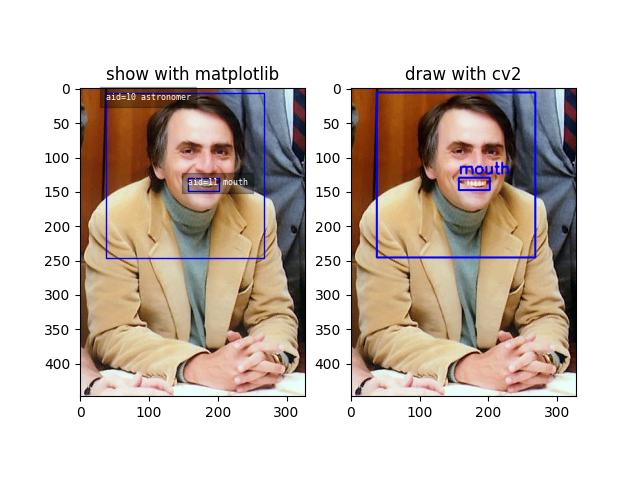
>>> # You can "draw" a raster of the annotated image with cv2
>>> canvas = self.draw_image(2)
>>> # Or if you have matplotlib you can "show" the image with mpl objects
>>> # xdoctest: +REQUIRES(--show)
>>> from matplotlib import pyplot as plt
>>> fig = plt.figure()
>>> ax1 = fig.add_subplot(1, 2, 1)
>>> self.show_image(gid=2)
>>> ax2 = fig.add_subplot(1, 2, 2)
>>> ax2.imshow(canvas)
>>> ax1.set_title('show with matplotlib')
>>> ax2.set_title('draw with cv2')
>>> plt.show()
- Parameters:
data (str | PathLike | dict | None) – Either a filepath to a coco json file, or a dictionary containing the actual coco json structure. For a more generally coercible constructor see func:CocoDataset.coerce.
Note: in the future, we may only accept construction from a data dictionary, and use a .load classmethod to handle reading data from a file. This will simplify (and accelerate) the code in the constructor.
tag (str | None) – Name of the dataset for display purposes, and does not influence behavior of the underlying data structure, although it may be used via convenience methods. We attempt to autopopulate this via information in
dataif available. If unspecfied anddatais a filepath this becomes the basename.bundle_dpath (str | None) – the root of the dataset that images / external data will be assumed to be relative to. If unspecfied, we attempt to determine it using information in
data. Ifdatais a filepath, we use the dirname of that path. Ifdatais a dictionary, we look for the “img_root” key. If unspecfied and we fail to introspect then, we fallback to the current working directory.img_root (str | None) – deprecated alias for bundle_dpath
- _abc_impl = <_abc._abc_data object>
- _check_index()[source]
Example
>>> import kwcoco
>>> self = kwcoco.CocoDataset.demo()
>>> self._check_index()
>>> # Force a failure
>>> self.index.anns.pop(1)
>>> self.index.anns.pop(2)
>>> import pytest
>>> with pytest.raises(AssertionError):
>>>     self._check_index()
- _check_json_serializable(verbose=1)[source]
Debug which part of a coco dataset might not be json serializable
- _check_pointers(verbose=1)[source]
Check that all category and image ids referenced by annotations exist
- _compress_dump_to_fileptr(file, arcname=None, indent=None, newlines=False)[source]
Experimental method to save compressed kwcoco files, may be folded into dump in the future.
- _dump(file, indent, newlines, compress)[source]
Case where we are dumping to an open file pointer. We assume this means the dataset has been written to disk.
- _update_fpath(new_fpath)[source]
Update the write location for this dataset and reroot if necessary.
New method for more robustly updating the file path and bundle directory, still a WIP. Only works when the current dataset is already valid.
This is used when you are reading a source dataset, and modifying, and then plan to write it to a new location. If the new location is in a different bundle dpath than the original file, we need to reroot to otherwise any relative paths will break.
We need to come up with a good name for this function. I don’t think this should happen when just modifying the
fpathproperty. But I also don’t know what a good name that indicates this sets fpath and does a conditional reroot would be.
- copy()[source]
Deep copies this object
Example
>>> import kwcoco
>>> self = kwcoco.CocoDataset.demo()
>>> new = self.copy()
>>> assert new.imgs[1] is new.dataset['images'][0]
>>> assert new.imgs[1] == self.dataset['images'][0]
>>> assert new.imgs[1] is not self.dataset['images'][0]
- dump(file=None, indent=None, newlines=False, temp_file='auto', compress='auto', verbose=0)[source]
Writes the dataset out to the json format
- Parameters:
file (PathLike | IO | None) – Where to write the data. Can either be a path to a file or an open file pointer / stream. If unspecified, it will be written to the current
fpathproperty.indent (int | str | None) – indentation for the json file. See
json.dump()for details.newlines (bool) – if True, each annotation, image, category gets its own line.
temp_file (bool | str) – Argument to
safer.open(). Ignored iffileis not a PathLike object. Defaults to ‘auto’, which is False on Windows and True everywhere else.compress (bool | str) – if True, dumps the kwcoco file as a compressed zipfile. In this case a literal IO file object must be opened in binary write mode. If auto, then it will default to False unless it can introspect the file name and the name ends with .zip
verbose (int) – verbosity level
Example
>>> import kwcoco
>>> import ubelt as ub
>>> dpath = ub.Path.appdir('kwcoco/demo/dump').ensuredir()
>>> dset = kwcoco.CocoDataset.demo()
>>> dset.fpath = dpath / 'my_coco_file.json'
>>> # Calling dump writes to the current fpath attribute.
>>> dset.dump()
>>> assert dset.dataset == kwcoco.CocoDataset(dset.fpath).dataset
>>> assert dset.dumps() == dset.fpath.read_text()
>>> #
>>> # Using compress=True can save a lot of space and it
>>> # is transparent when reading files via CocoDataset
>>> dset.dump(compress=True)
>>> assert dset.dataset == kwcoco.CocoDataset(dset.fpath).dataset
>>> assert dset.dumps() != dset.fpath.read_text(errors='replace')
Example
>>> import kwcoco
>>> import ubelt as ub
>>> # Compression auto-defaults based on the file name.
>>> dpath = ub.Path.appdir('kwcoco/demo/dump').ensuredir()
>>> dset = kwcoco.CocoDataset.demo()
>>> fpath1 = dset.fpath = dpath / 'my_coco_file.zip'
>>> dset.dump(verbose=1)
>>> fpath2 = dset.fpath = dpath / 'my_coco_file.json'
>>> dset.dump(verbose=1)
>>> assert fpath1.read_bytes()[0:8] != fpath2.read_bytes()[0:8]
- dumps(indent=None, newlines=False)[source]
Writes the dataset out to the json format
- Parameters:
newlines (bool) – if True, each annotation, image, category gets its own line
indent (int | str | None) – indentation for the json file. See
json.dump()for details.newlines (bool) – if True, each annotation, image, category gets its own line.
Note
- Using newlines=True is similar to:
print(ub.urepr(dset.dataset, nl=2, trailsep=False)) However, the above may not output valid json if it contains ndarrays.
Example
>>> import kwcoco
>>> import json
>>> self = kwcoco.CocoDataset.demo()
>>> text = self.dumps(newlines=True)
>>> print(text)
>>> self2 = kwcoco.CocoDataset(json.loads(text), tag='demo2')
>>> assert self2.dataset == self.dataset
>>> assert self2.dataset is not self.dataset
>>> text = self.dumps(newlines=True)
>>> print(text)
>>> self2 = kwcoco.CocoDataset(json.loads(text), tag='demo2')
>>> assert self2.dataset == self.dataset
>>> assert self2.dataset is not self.dataset
Example
>>> import kwcoco
>>> self = kwcoco.CocoDataset.coerce('vidshapes1-msi-multisensor', verbose=3)
>>> self.remove_annotations(self.annots())
>>> text = self.dumps(newlines=0, indent='  ')
>>> print(text)
>>> text = self.dumps(newlines=True, indent='  ')
>>> print(text)
- property fpath
In the future we will deprecate img_root for bundle_dpath
- rebuild_index()[source]
Build or rebuild the fast lookup index.
This can be used to ensure a clean fast lookup index if the user directly modifies values in self.dataset.
- subset(gids=None, video_ids=None, copy=False, autobuild=True, **kwargs)[source]
Return a subset of the larger coco dataset by specifying which images to port. All annotations in those images will be taken.
- Parameters:
gids (List[int] | None) – image-ids to copy into a new dataset.
video_ids (List[int] | None) – list of video ids to copy into the new dataset. This is a convenience argument that simply selects all image ids associated with the given videos.
copy (bool) – if True, makes a deep copy of all nested attributes, otherwise makes a shallow copy. Defaults to True.
autobuild (bool) – if True will automatically build the fast lookup index. Defaults to True.
**kwargs –
- Only used for new cannonical names:
image_id := gids
Example
>>> import kwcoco
>>> self = kwcoco.CocoDataset.demo()
>>> gids = [1, 3]
>>> sub_dset = self.subset(gids)
>>> assert len(self.index.gid_to_aids) == 3
>>> assert len(sub_dset.gid_to_aids) == 2
Example
>>> import kwcoco
>>> self = kwcoco.CocoDataset.demo('vidshapes2')
>>> gids = [1, 2]
>>> sub_dset = self.subset(gids, copy=True)
>>> assert len(sub_dset.index.videos) == 1
>>> assert len(self.index.videos) == 2
>>> assert len(sub_dset.index.tracks) == 2
>>> assert len(self.index.tracks) == 4
Example
>>> import kwcoco
>>> self = kwcoco.CocoDataset.demo('vidshapes2')
>>> sub_dset = self.subset(video_ids=[1], copy=True)
>>> assert len(sub_dset.index.videos) == 1
>>> assert len(self.index.videos) == 2
Example
>>> import kwcoco
>>> self = kwcoco.CocoDataset.demo()
>>> sub1 = self.subset([1])
>>> sub2 = self.subset([2])
>>> sub3 = self.subset([3])
>>> others = [sub1, sub2, sub3]
>>> rejoined = kwcoco.CocoDataset.union(*others)
>>> assert len(sub1.anns) == 9
>>> assert len(sub2.anns) == 2
>>> assert len(sub3.anns) == 0
>>> assert rejoined.basic_stats() == self.basic_stats()
- union(*, disjoint_tracks=True, remember_parent=False, **kwargs)[source]
Combines multiple
CocoDatasetitems into one. Names and associations are retained, but ids may be different.- Parameters:
*others – a series of CocoDatasets that we will merge. Note, if called as an instance method, the “self” instance will be the first item in the “others” list. But if called like a classmethod, “others” will be empty by default.
disjoint_tracks (bool) – if True, we will assume track-names are disjoint and if two datasets share the same track-name, we will disambiguate them. Otherwise they will be copied over as-is. Defaults to True. In most cases you do not want to set this to False.
remember_parent (bool) – if True, videos and images will save information about their parent in the “union_parent” field.
**kwargs – constructor options for the new merged CocoDataset
Note
While categories in datasets are merged, all other information is not. I.e. this assumes images, videos, and annotations in the datsets are all disjoint. If you need to combine datasets you currently must copy one dataset, and then add information from other datasets while removing ambiguities in a way that makes sense in context.
- Returns:
a new coco dataset containing original datasets.
- Return type:
CommandLine
xdoctest -m kwcoco.coco_dataset CocoDataset.union
Example
>>> import kwcoco
>>> # Test union works with different keypoint categories
>>> dset1 = kwcoco.CocoDataset.demo('shapes1')
>>> dset2 = kwcoco.CocoDataset.demo('shapes2')
>>> dset1.remove_keypoint_categories(['bot_tip', 'mid_tip', 'right_eye'], clean_anns=True)
>>> dset2.remove_keypoint_categories(['top_tip', 'left_eye'], clean_anns=True)
>>> dset_12a = kwcoco.CocoDataset.union(dset1, dset2)
>>> dset_12b = dset1.union(dset2)
>>> dset_21 = dset2.union(dset1)
>>> def add_hist(h1, h2):
>>>     return {k: h1.get(k, 0) + h2.get(k, 0) for k in set(h1) | set(h2)}
>>> kpfreq1 = dset1.keypoint_annotation_frequency()
>>> kpfreq2 = dset2.keypoint_annotation_frequency()
>>> kpfreq_want = add_hist(kpfreq1, kpfreq2)
>>> kpfreq_got1 = dset_12a.keypoint_annotation_frequency()
>>> kpfreq_got2 = dset_12b.keypoint_annotation_frequency()
>>> assert kpfreq_want == kpfreq_got1
>>> assert kpfreq_want == kpfreq_got2
>>> # Test disjoint gid datasets
>>> dset1 = kwcoco.CocoDataset.demo('shapes3')
>>> for new_gid, img in enumerate(dset1.dataset['images'], start=10):
>>>     for aid in dset1.gid_to_aids[img['id']]:
>>>         dset1.anns[aid]['image_id'] = new_gid
>>>     img['id'] = new_gid
>>> dset1.index.clear()
>>> dset1.rebuild_index()
>>> # ------
>>> dset2 = kwcoco.CocoDataset.demo('shapes2')
>>> for new_gid, img in enumerate(dset2.dataset['images'], start=100):
>>>     for aid in dset2.gid_to_aids[img['id']]:
>>>         dset2.anns[aid]['image_id'] = new_gid
>>>     img['id'] = new_gid
>>> dset1.index.clear()
>>> dset2.rebuild_index()
>>> others = [dset1, dset2]
>>> merged = kwcoco.CocoDataset.union(*others)
>>> print('merged = {!r}'.format(merged))
>>> print('merged.imgs = {}'.format(ub.urepr(merged.imgs, nl=1)))
>>> assert set(merged.imgs) & set([10, 11, 12, 100, 101]) == set(merged.imgs)
>>> # Test data is not preserved
>>> dset2 = kwcoco.CocoDataset.demo('shapes2')
>>> dset1 = kwcoco.CocoDataset.demo('shapes3')
>>> others = (dset1, dset2)
>>> cls = self = kwcoco.CocoDataset
>>> merged = cls.union(*others)
>>> print('merged = {!r}'.format(merged))
>>> print('merged.imgs = {}'.format(ub.urepr(merged.imgs, nl=1)))
>>> assert set(merged.imgs) & set([1, 2, 3, 4, 5]) == set(merged.imgs)
>>> # Test track-ids are mapped correctly
>>> dset1 = kwcoco.CocoDataset.demo('vidshapes1')
>>> dset2 = kwcoco.CocoDataset.demo('vidshapes2')
>>> dset3 = kwcoco.CocoDataset.demo('vidshapes3')
>>> others = (dset1, dset2, dset3)
>>> for dset in others:
>>>     [a.pop('segmentation', None) for a in dset.index.anns.values()]
>>>     [a.pop('keypoints', None) for a in dset.index.anns.values()]
>>> cls = self = kwcoco.CocoDataset
>>> merged = cls.union(*others, disjoint_tracks=1)
>>> print('dset1.anns = {}'.format(ub.urepr(dset1.anns, nl=1)))
>>> print('dset2.anns = {}'.format(ub.urepr(dset2.anns, nl=1)))
>>> print('dset3.anns = {}'.format(ub.urepr(dset3.anns, nl=1)))
>>> print('merged.anns = {}'.format(ub.urepr(merged.anns, nl=1)))
Example
>>> import kwcoco
>>> # Test empty union
>>> empty_union = kwcoco.CocoDataset.union()
>>> assert len(empty_union.index.imgs) == 0
Todo
[ ] are supercategories broken?
[ ] reuse image ids where possible
[ ] reuse annotation ids where possible
[x] reuse category ids where possible
[X] handle case where no inputs are given
[x] disambiguate track-ids
[x] disambiguate video-ids
- view_sql(force_rewrite=False, memory=False, backend='sqlite', sql_db_fpath=None)[source]
Create a cached SQL interface to this dataset suitable for large scale multiprocessing use cases.
- Parameters:
force_rewrite (bool) – if True, forces an update to any existing cache file on disk
memory (bool) – if True, the database is constructed in memory.
backend (str) – sqlite or postgresql
sql_db_fpath (str | PathLike | None) – overrides the database uri
Note
This view cache is experimental and currently depends on the timestamp of the file pointed to by
self.fpath. In other words dont use this on in-memory datasets.CommandLine
KWCOCO_WITH_POSTGRESQL=1 xdoctest -m /home/joncrall/code/kwcoco/kwcoco/coco_dataset.py CocoDataset.view_sql
Example
>>> # xdoctest: +REQUIRES(module:sqlalchemy)
>>> # xdoctest: +REQUIRES(env:KWCOCO_WITH_POSTGRESQL)
>>> # xdoctest: +REQUIRES(module:psycopg2)
>>> import kwcoco
>>> dset = kwcoco.CocoDataset.demo('vidshapes32')
>>> postgres_dset = dset.view_sql(backend='postgresql', force_rewrite=True)
>>> sqlite_dset = dset.view_sql(backend='sqlite', force_rewrite=True)
>>> list(dset.anns.keys())
>>> list(postgres_dset.anns.keys())
>>> list(sqlite_dset.anns.keys())
- class kwcoco.CocoImage(img, dset=None)[source]
Bases:
_CocoObjectAn object-oriented representation of a coco image.
It provides helper methods that are specific to a single image.
This operates directly on a single coco image dictionary, but it can optionally be connected to a parent dataset, which allows it to use CocoDataset methods to query about relationships and resolve pointers.
This is different than the Images class in coco_object1d, which is just a vectorized interface to multiple objects.
Example
>>> import kwcoco
>>> dset1 = kwcoco.CocoDataset.demo('shapes8')
>>> dset2 = kwcoco.CocoDataset.demo('vidshapes8-multispectral')
>>> self = kwcoco.CocoImage(dset1.imgs[1], dset1)
>>> print('self = {!r}'.format(self))
>>> print('self.channels = {}'.format(ub.urepr(self.channels, nl=1)))
>>> self = kwcoco.CocoImage(dset2.imgs[1], dset2)
>>> print('self.channels = {}'.format(ub.urepr(self.channels, nl=1)))
>>> self.primary_asset()
>>> assert 'auxiliary' in self
- _annot_segmentation(ann, space='video', resolution=None)[source]
” Load annotation segmentations in a requested space at a target resolution.
Example
>>> from kwcoco.coco_image import *  # NOQA
>>> import kwcoco
>>> dset = kwcoco.CocoDataset.demo('vidshapes8-msi-multisensor')
>>> coco_img = dset.coco_image(1)
>>> coco_img.img['resolution'] = '1 meter'
>>> ann = coco_img.annots().objs[0]
>>> img_sseg = coco_img._annot_segmentation(ann, space='image')
>>> vid_sseg = coco_img._annot_segmentation(ann, space='video')
>>> img_sseg_2m = coco_img._annot_segmentation(ann, space='image', resolution='2 meter')
>>> vid_sseg_2m = coco_img._annot_segmentation(ann, space='video', resolution='2 meter')
>>> print(f'img_sseg.area    = {img_sseg.area}')
>>> print(f'vid_sseg.area    = {vid_sseg.area}')
>>> print(f'img_sseg_2m.area = {img_sseg_2m.area}')
>>> print(f'vid_sseg_2m.area = {vid_sseg_2m.area}')
- _annot_segmentations(anns, space='video', resolution=None)[source]
” Load multiple annotation segmentations in a requested space at a target resolution.
Example
>>> from kwcoco.coco_image import *  # NOQA
>>> import kwcoco
>>> dset = kwcoco.CocoDataset.demo('vidshapes8-msi-multisensor')
>>> coco_img = dset.coco_image(1)
>>> coco_img.img['resolution'] = '1 meter'
>>> ann = coco_img.annots().objs[0]
>>> img_sseg = coco_img._annot_segmentations([ann], space='image')
>>> vid_sseg = coco_img._annot_segmentations([ann], space='video')
>>> img_sseg_2m = coco_img._annot_segmentations([ann], space='image', resolution='2 meter')
>>> vid_sseg_2m = coco_img._annot_segmentations([ann], space='video', resolution='2 meter')
>>> print(f'img_sseg.area    = {img_sseg[0].area}')
>>> print(f'vid_sseg.area    = {vid_sseg[0].area}')
>>> print(f'img_sseg_2m.area = {img_sseg_2m[0].area}')
>>> print(f'vid_sseg_2m.area = {vid_sseg_2m[0].area}')
- _detections_for_resolution(space='video', resolution=None, aids=None, RESOLUTION_KEY=None)[source]
This is slightly less than ideal in terms of API, but it will work for now.
- _scalefactor_for_resolution(space, resolution, channel=None, RESOLUTION_KEY=None)[source]
Given image or video space, compute the scale factor needed to achieve the target resolution.
# Use this to implement scale_resolution_from_img scale_resolution_from_vid
- Parameters:
space (str) – the space to the resolution of. Can be either “image”, “video”, or “asset”.
resolution (str | float | int) – the resolution (ideally with units) you want.
channel (str | kwcoco.FusedChannelSpec | None) – a channel that identifies a single asset, only relevant if asking for asset space
- Returns:
the x and y scale factor that can be used to scale the underlying “space” to achieve the requested resolution.
- Return type:
- _warp_for_resolution(space, resolution=None)[source]
Compute a transform from image-space to the requested space at a target resolution.
- add_annotation(**ann)[source]
Adds an annotation to this image.
This is a convenience method, and requires that this CocoImage is still connected to a parent dataset.
- Parameters:
**ann – annotation attributes (e.g. bbox, category_id)
- Returns:
the new annotation id
- Return type:
- SeeAlso:
kwcoco.CocoDataset.add_annotation()
- add_asset(file_name=None, channels=None, imdata=None, warp_aux_to_img=None, width=None, height=None, imwrite=False, image_id=None, **kw)[source]
Adds an auxiliary / asset item to the image dictionary.
This operation can be done purely in-memory (the default), or the image data can be written to a file on disk (via the imwrite=True flag).
- Parameters:
file_name (str | PathLike | None) – The name of the file relative to the bundle directory. If unspecified, imdata must be given.
channels (str | kwcoco.FusedChannelSpec | None) – The channel code indicating what each of the bands represents. These channels should be disjoint wrt to the existing data in this image (this is not checked).
imdata (ndarray | None) – The underlying image data this auxiliary item represents. If unspecified, it is assumed file_name points to a path on disk that will eventually exist. If imdata, file_name, and the special imwrite=True flag are specified, this function will write the data to disk.
warp_aux_to_img (kwimage.Affine | None) – The transformation from this auxiliary space to image space. If unspecified, assumes this item is related to image space by only a scale factor.
width (int | None) – Width of the data in auxiliary space (inferred if unspecified)
height (int | None) – Height of the data in auxiliary space (inferred if unspecified)
imwrite (bool) – If specified, both imdata and file_name must be specified, and this will write the data to disk. Note: it it recommended that you simply call imwrite yourself before or after calling this function. This lets you better control imwrite parameters.
image_id (int | None) – An asset dictionary contains an image-id, but it should not be specified here. If it is, then it must agree with this image’s id.
**kw – stores arbitrary key/value pairs in this new asset.
Todo
[ ] Allow imwrite to specify an executor that is used to
return a Future so the imwrite call does not block.
Example
>>> from kwcoco.coco_image import *  # NOQA
>>> import kwcoco
>>> dset = kwcoco.CocoDataset.demo('vidshapes8-multispectral')
>>> coco_img = dset.coco_image(1)
>>> imdata = np.random.rand(32, 32, 5)
>>> channels = kwcoco.FusedChannelSpec.coerce('Aux:5')
>>> coco_img.add_asset(imdata=imdata, channels=channels)
Example
>>> import kwcoco
>>> dset = kwcoco.CocoDataset()
>>> gid = dset.add_image(name='my_image_name', width=200, height=200)
>>> coco_img = dset.coco_image(gid)
>>> coco_img.add_asset('path/img1_B0.tif', channels='B0', width=200, height=200)
>>> coco_img.add_asset('path/img1_B1.tif', channels='B1', width=200, height=200)
>>> coco_img.add_asset('path/img1_B2.tif', channels='B2', width=200, height=200)
>>> coco_img.add_asset('path/img1_TCI.tif', channels='r|g|b', width=200, height=200)
- add_auxiliary_item(**kwargs)
- annots()[source]
- Returns:
a 1d annotations object referencing annotations in this image
- Return type:
- property assets
CocoImage.iter_assets.
- Type:
Convenience wrapper around
- Type:
func
- property channels
- property datetime
Try to get datetime information for this image. Not always possible.
- Returns:
datetime.datetime | None
- delay(**kwargs)
- detach()[source]
Removes references to the underlying coco dataset, but keeps special information such that it wont be needed.
- draw(**kwargs)[source]
Draw the image on an ndarray using opencv
- SeeAlso:
kwcoco.CocoDataset.draw_image()
Example
>>> import kwcoco
>>> dset = kwcoco.CocoDataset.demo('vidshapes8-multispectral')
>>> self = dset.coco_image(1)
>>> canvas = self.draw()
>>> # xdoctest: +REQUIRES(--show)
>>> import kwplot
>>> kwplot.autompl()
>>> kwplot.imshow(canvas)
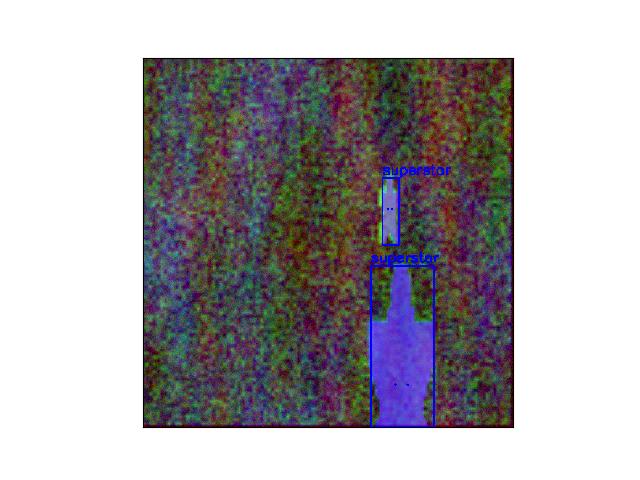
- property dsize
- find_asset(channels)[source]
Find the asset dictionary with the specified channels
- Parameters:
channels (str | FusedChannelSpec) – channel names the asset must have.
- Returns:
CocoImage | CocoAsset
Example
>>> # A pathological example (test-case)
>>> import kwcoco
>>> self = kwcoco.CocoImage({
>>>     'file_name': 'raw',
>>>     'channels': 'red|green|blue',
>>>     'assets': [
>>>         {'file_name': '1', 'channels': 'spam'},
>>>         {'file_name': '2', 'channels': 'eggs|jam'},
>>>     ],
>>>     'auxiliary': [
>>>         {'file_name': '3', 'channels': 'foo'},
>>>         {'file_name': '4', 'channels': 'bar|baz'},
>>>     ]
>>> })
>>> assert self.find_asset('blah') is None
>>> assert self.find_asset('red|green|blue') is self
>>> self.find_asset('foo')['file_name'] == '3'
>>> self.find_asset('baz')['file_name'] == '4'
Example
>>> # A more standard test case
>>> # In this case there is is a top-level base image, as well as
>>> # additional assets.
>>> import kwcoco
>>> self = kwcoco.CocoImage({
>>>     'file_name': 'path/to/rgbdata.jpg',
>>>     'channels': 'red|green|blue',
>>>     'assets': [
>>>         {'file_name': 'path/to/depth/data.png', 'channels': 'depth'},
>>>         {'file_name': 'path/to/opticalflow/data.tif', 'channels': 'flowx|flowy'},
>>>     ],
>>> })
>>> # Searching for an asset that does not exist returns None
>>> assert self.find_asset('does-not-exist') is None
>>> # Searching for an asset finds the dictionary containing the channel
>>> assert self.find_asset('flowy')['channels'] == 'flowx|flowy'
>>> # The top level dict is considered an asset if it has channels
>>> assert self.find_asset('red') is self
>>> #
>>> #
>>> # Another common case is when the top-level dictionary has no
>>> # file_name, and all image information is pointed to by the assets.
>>> self = kwcoco.CocoImage({
>>>     'assets': [
>>>         {'file_name': 'path/to/rgbdata.jpg', 'channels': 'red|green|blue'},
>>>         {'file_name': 'path/to/depth/data.png', 'channels': 'depth'},
>>>         {'file_name': 'path/to/opticalflow/data.tif', 'channels': 'flowx|flowy'},
>>>     ],
>>> })
>>> # Searching for an asset that does not exist returns None
>>> assert self.find_asset('does-not-exist') is None
>>> # Searching for an asset finds the dictionary containing the channel
>>> assert self.find_asset('flowy|flowx')['channels'] == 'flowx|flowy'
>>> assert self.find_asset('flowy|flowx')['channels'] == 'flowx|flowy'
>>> # The top level dict is considered an asset if it has channels
>>> assert self.find_asset('red') is not self
- find_asset_obj(channels)[source]
Find the asset dictionary with the specified channels
In most cases use
CocoImge.find_asset()instead.Example
>>> import kwcoco
>>> coco_img = kwcoco.CocoImage({'width': 128, 'height': 128})
>>> coco_img.add_auxiliary_item(
>>>     'rgb.png', channels='red|green|blue', width=32, height=32)
>>> assert coco_img.find_asset_obj('red') is not None
>>> assert coco_img.find_asset_obj('green') is not None
>>> assert coco_img.find_asset_obj('blue') is not None
>>> assert coco_img.find_asset_obj('red|blue') is not None
>>> assert coco_img.find_asset_obj('red|green|blue') is not None
>>> assert coco_img.find_asset_obj('red|green|blue') is not None
>>> assert coco_img.find_asset_obj('black') is None
>>> assert coco_img.find_asset_obj('r') is None
Example
>>> # Test with concise channel code
>>> import kwcoco
>>> coco_img = kwcoco.CocoImage({'width': 128, 'height': 128})
>>> coco_img.add_auxiliary_item(
>>>     'msi.png', channels='foo.0:128', width=32, height=32)
>>> assert coco_img.find_asset_obj('foo') is None
>>> assert coco_img.find_asset_obj('foo.3') is not None
>>> assert coco_img.find_asset_obj('foo.3:5') is not None
>>> assert coco_img.find_asset_obj('foo.3000') is None
Example
>>> # Test a mallformed case. If using this function each
>>> # dictionary with file_name must have channels
>>> import kwcoco
>>> self = kwcoco.CocoImage({
>>>     'file_name': 'path/to/rgbdata.jpg',
>>>     'channels': None,
>>>     'assets': [
>>>         {'file_name': 'path/to/depth/data.png', 'channels': 'depth'},
>>>         {'file_name': 'path/to/opticalflow/data.tif', 'channels': 'flowx|flowy'},
>>>     ],
>>> })
>>> # Searching for an asset that does not exist returns None
>>> import pytest
>>> with pytest.raises(TypeError):
>>>     self.find_asset_obj('depth')
- image_filepath()[source]
Note: this only returns a file path if it is directly associated with this image, it does not respect assets. This is intended to duck-type the method of a CocoAsset. Use
primary_image_filepath()for this instead.
- imdelay(channels=None, space='image', resolution=None, bundle_dpath=None, interpolation='linear', antialias=True, nodata_method=None, RESOLUTION_KEY=None)[source]
Perform a delayed load on the data in this image.
The delayed load can load a subset of channels, and perform lazy warping operations. If the underlying data is in a tiled format this can reduce the amount of disk IO needed to read the data if only a small crop or lower resolution view of the data is needed.
Note
This method is experimental and relies on the delayed load proof-of-concept.
- Parameters:
gid (int) – image id to load
channels (kwcoco.FusedChannelSpec) – specific channels to load. if unspecified, all channels are loaded.
space (str) – can either be “image” for loading in image space, or “video” for loading in video space.
resolution (None | str | float) – If specified, applies an additional scale factor to the result such that the data is loaded at this specified resolution. This requires that the image / video has a registered resolution attribute and that its units agree with this request.
Todo
- [ ] This function could stand to have a better name. Maybe imread
with a delayed=True flag? Or maybe just delayed_load?
Example
>>> from kwcoco.coco_image import *  # NOQA
>>> import kwcoco
>>> gid = 1
>>> #
>>> dset = kwcoco.CocoDataset.demo('vidshapes8-multispectral')
>>> self = CocoImage(dset.imgs[gid], dset)
>>> delayed = self.imdelay()
>>> print('delayed = {!r}'.format(delayed))
>>> print('delayed.finalize() = {!r}'.format(delayed.finalize()))
>>> print('delayed.finalize() = {!r}'.format(delayed.finalize()))
>>> #
>>> dset = kwcoco.CocoDataset.demo('shapes8')
>>> delayed = dset.coco_image(gid).imdelay()
>>> print('delayed = {!r}'.format(delayed))
>>> print('delayed.finalize() = {!r}'.format(delayed.finalize()))
>>> print('delayed.finalize() = {!r}'.format(delayed.finalize()))
>>> crop = delayed.crop((slice(0, 3), slice(0, 3)))
>>> crop.finalize()
>>> # TODO: should only select the "red" channel
>>> dset = kwcoco.CocoDataset.demo('shapes8')
>>> delayed = CocoImage(dset.imgs[gid], dset).imdelay(channels='r')
>>> import kwcoco
>>> gid = 1
>>> #
>>> dset = kwcoco.CocoDataset.demo('vidshapes8-multispectral')
>>> delayed = dset.coco_image(gid).imdelay(channels='B1|B2', space='image')
>>> print('delayed = {!r}'.format(delayed))
>>> print('delayed.finalize() = {!r}'.format(delayed.finalize()))
>>> delayed = dset.coco_image(gid).imdelay(channels='B1|B2|B11', space='image')
>>> print('delayed = {!r}'.format(delayed))
>>> print('delayed.finalize() = {!r}'.format(delayed.finalize()))
>>> delayed = dset.coco_image(gid).imdelay(channels='B8|B1', space='video')
>>> print('delayed = {!r}'.format(delayed))
>>> print('delayed.finalize() = {!r}'.format(delayed.finalize()))
>>> delayed = dset.coco_image(gid).imdelay(channels='B8|foo|bar|B1', space='video')
>>> print('delayed = {!r}'.format(delayed))
>>> print('delayed.finalize() = {!r}'.format(delayed.finalize()))
Example
>>> import kwcoco
>>> dset = kwcoco.CocoDataset.demo()
>>> coco_img = dset.coco_image(1)
>>> # Test case where nothing is registered in the dataset
>>> delayed = coco_img.imdelay()
>>> final = delayed.finalize()
>>> assert final.shape == (512, 512, 3)
>>> delayed = coco_img.imdelay()
>>> final = delayed.finalize()
>>> print('final.shape = {}'.format(ub.urepr(final.shape, nl=1)))
>>> assert final.shape == (512, 512, 3)
Example
>>> # Test that delay works when imdata is stored in the image
>>> # dictionary itself.
>>> from kwcoco.coco_image import *  # NOQA
>>> import kwcoco
>>> dset = kwcoco.CocoDataset.demo('vidshapes8-multispectral')
>>> coco_img = dset.coco_image(1)
>>> imdata = np.random.rand(6, 6, 5)
>>> imdata[:] = np.arange(5)[None, None, :]
>>> channels = kwcoco.FusedChannelSpec.coerce('Aux:5')
>>> coco_img.add_auxiliary_item(imdata=imdata, channels=channels)
>>> delayed = coco_img.imdelay(channels='B1|Aux:2:4')
>>> final = delayed.finalize()
Example
>>> # Test delay when loading in asset space
>>> from kwcoco.coco_image import *  # NOQA
>>> import kwcoco
>>> dset = kwcoco.CocoDataset.demo('vidshapes8-msi-multisensor', rng=0)
>>> coco_img = dset.coco_image(1)
>>> # Find a stream where the asset is at a different scale
>>> # (currently this is hacked and depends on the rng being nice)
>>> stream1 = coco_img.channels.streams()[0]
>>> stream2 = coco_img.channels.streams()[1]
>>> asset_delayed = coco_img.imdelay(stream2, space='asset')
>>> img_delayed = coco_img.imdelay(stream2, space='image')
>>> vid_delayed = coco_img.imdelay(stream2, space='video')
>>> #
>>> aux_imdata = asset_delayed.as_xarray().finalize()
>>> img_imdata = img_delayed.as_xarray().finalize()
>>> assert aux_imdata.shape != img_imdata.shape
>>> # Cannot load multiple asset items at the same time in
>>> # asset space
>>> import pytest
>>> fused_channels = stream1 | stream2
>>> from delayed_image.delayed_nodes import CoordinateCompatibilityError
>>> with pytest.raises(CoordinateCompatibilityError):
>>>     aux_delayed2 = coco_img.imdelay(fused_channels, space='asset')
Example
>>> # Test loading at a specific resolution.
>>> from kwcoco.coco_image import *  # NOQA
>>> import kwcoco
>>> dset = kwcoco.CocoDataset.demo('vidshapes8-msi-multisensor')
>>> coco_img = dset.coco_image(1)
>>> coco_img.img['resolution'] = '1 meter'
>>> img_delayed1 = coco_img.imdelay(space='image')
>>> vid_delayed1 = coco_img.imdelay(space='video')
>>> # test with unitless request
>>> img_delayed2 = coco_img.imdelay(space='image', resolution=3.1)
>>> vid_delayed2 = coco_img.imdelay(space='video', resolution='3.1 meter')
>>> np.ceil(img_delayed1.shape[0] / 3.1) == img_delayed2.shape[0]
>>> np.ceil(vid_delayed1.shape[0] / 3.1) == vid_delayed2.shape[0]
>>> # test with unitless data
>>> coco_img.img['resolution'] = 1
>>> img_delayed2 = coco_img.imdelay(space='image', resolution=3.1)
>>> vid_delayed2 = coco_img.imdelay(space='video', resolution='3.1 meter')
>>> np.ceil(img_delayed1.shape[0] / 3.1) == img_delayed2.shape[0]
>>> np.ceil(vid_delayed1.shape[0] / 3.1) == vid_delayed2.shape[0]
- iter_asset_objs()[source]
Iterate through base + auxiliary dicts that have file paths
Note
In most cases prefer
iter_assets()instead.- Yields:
dict – an image or auxiliary dictionary
- iter_assets()[source]
Iterate through assets (which could include the image itself it points to a file path).
Object-oriented alternative to
CocoImage.iter_asset_objs()- Yields:
CocoImage | CocoAsset – an asset object (or image object if it points to a file)
Example
>>> import kwcoco
>>> coco_img = kwcoco.CocoImage({'width': 128, 'height': 128})
>>> assert len(list(coco_img.iter_assets())) == 0
>>> dset = kwcoco.CocoDataset.demo('vidshapes8-multispectral')
>>> self = dset.coco_image(1)
>>> assert len(list(self.iter_assets())) > 1
>>> dset = kwcoco.CocoDataset.demo('vidshapes8')
>>> self = dset.coco_image(1)
>>> assert list(self.iter_assets()) == [self]
- iter_image_filepaths(with_bundle=True)[source]
Could rename to iter_asset_filepaths
- Parameters:
with_bundle (bool) – If True, prepends the bundle dpath to fully specify the path. Otherwise, just returns the registered string in the file_name attribute of each asset. Defaults to True.
- Yields:
ub.Path
- property n_assets
The number of on-disk files associated with this coco image
- property name
- property num_channels
- primary_asset(requires=None, as_dict=True)[source]
Compute a “main” image asset.
Note
Uses a heuristic.
First, try to find the auxiliary image that has with the smallest
distortion to the base image (if known via warp_aux_to_img)
Second, break ties by using the largest image if w / h is known
Last, if previous information not available use the first auxiliary image.
- Parameters:
requires (List[str] | None) – list of attribute that must be non-None to consider an object as the primary one.
as_dict (bool) – if True the return type is a raw dictionary. Otherwise use a newer object-oriented wrapper that should be duck-type swappable. In the future this default will change to False.
- Returns:
the asset dict or None if it is not found
- Return type:
None | dict
Todo
[ ] Add in primary heuristics
Example
>>> import kwarray
>>> from kwcoco.coco_image import *  # NOQA
>>> rng = kwarray.ensure_rng(0)
>>> def random_asset(name, w=None, h=None):
>>>     return {'file_name': name, 'width': w, 'height': h}
>>> self = CocoImage({
>>>     'auxiliary': [
>>>         random_asset('1'),
>>>         random_asset('2'),
>>>         random_asset('3'),
>>>     ]
>>> })
>>> assert self.primary_asset()['file_name'] == '1'
>>> self = CocoImage({
>>>     'auxiliary': [
>>>         random_asset('1'),
>>>         random_asset('2', 3, 3),
>>>         random_asset('3'),
>>>     ]
>>> })
>>> assert self.primary_asset()['file_name'] == '2'
>>> #
>>> # Test new object oriented output
>>> self = CocoImage({
>>>     'file_name': 'foo',
>>>     'assets': [
>>>         random_asset('1'),
>>>         random_asset('2'),
>>>         random_asset('3'),
>>>     ],
>>> })
>>> assert self.primary_asset(as_dict=False) is self
>>> self = CocoImage({
>>>     'assets': [
>>>         random_asset('1'),
>>>         random_asset('3'),
>>>     ],
>>>     'auxiliary': [
>>>         random_asset('1'),
>>>         random_asset('2', 3, 3),
>>>         random_asset('3'),
>>>     ]
>>> })
>>> assert self.primary_asset(as_dict=False)['file_name'] == '2'
- resolution(space='image', channel=None, RESOLUTION_KEY=None)[source]
Returns the resolution of this CocoImage in the requested space if known. Errors if this information is not registered.
- Parameters:
space (str) – the space to the resolution of. Can be either “image”, “video”, or “asset”.
channel (str | kwcoco.FusedChannelSpec | None) – a channel that identifies a single asset, only relevant if asking for asset space
- Returns:
has items mag (with the magnitude of the resolution) and unit, which is a convenience and only loosely enforced.
- Return type:
Dict
Example
>>> import kwcoco
>>> dset = kwcoco.CocoDataset.demo('vidshapes8-multispectral')
>>> self = dset.coco_image(1)
>>> self.img['resolution'] = 1
>>> self.resolution()
>>> self.img['resolution'] = '1 meter'
>>> assert self.resolution(space='video') == {'mag': (1.0, 1.0), 'unit': 'meter'}
>>> self.resolution(space='asset', channel='B11')
>>> self.resolution(space='asset', channel='B1')
- show(**kwargs)[source]
Show the image with matplotlib if possible
- SeeAlso:
kwcoco.CocoDataset.show_image()
Example
>>> # xdoctest: +REQUIRES(module:kwplot)
>>> import kwcoco
>>> dset = kwcoco.CocoDataset.demo('vidshapes8-multispectral')
>>> self = dset.coco_image(1)
>>> # xdoctest: +REQUIRES(--show)
>>> import kwplot
>>> kwplot.autoplt()
>>> self.show()
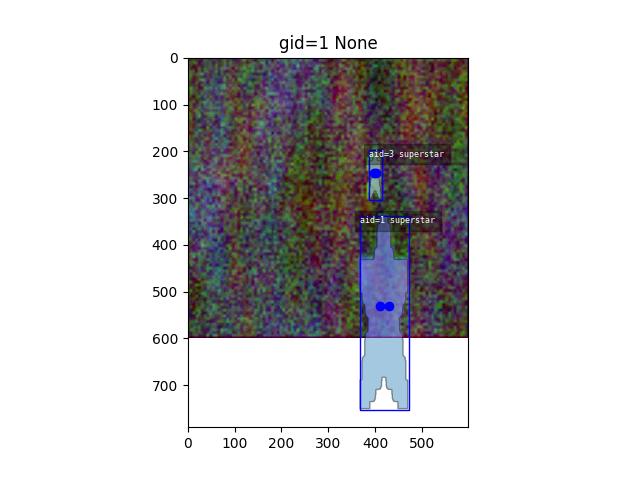
- valid_region()
If this image has a valid polygon, return it in image, or video space
- Returns:
None | kwimage.MultiPolygon
- property video
Helper to grab the video for this image if it exists
- property warp_img_from_vid
Affine transformation that warps video space -> image space.
- Returns:
The transformation matrix
- Return type:
- property warp_vid_from_img
Affine transformation that warps image space -> video space.
- Returns:
The transformation matrix
- Return type:
- class kwcoco.CocoSqlDatabase(uri=None, tag=None, img_root=None)[source]
Bases:
AbstractCocoDataset,MixinCocoAccessors,MixinCocoObjects,MixinCocoStats,MixinCocoDraw,NiceReprProvides an API nearly identical to
kwcoco.CocoDatabase, but uses an SQL backend data store. This makes it robust to copy-on-write memory issues that arise when forking, as discussed in [1].Note
By default constructing an instance of the CocoSqlDatabase does not create a connection to the database. Use the
connect()method to open a connection.References
Example
>>> # xdoctest: +REQUIRES(module:sqlalchemy)
>>> from kwcoco.coco_sql_dataset import *  # NOQA
>>> sql_dset, dct_dset = demo()
>>> dset1, dset2 = sql_dset, dct_dset
>>> tag1, tag2 = 'dset1', 'dset2'
>>> assert_dsets_allclose(sql_dset, dct_dset)
- MEMORY_URI = 'sqlite:///:memory:'
- _abc_impl = <_abc._abc_data object>
- _all_rows_column_lookup(tablename, keys)[source]
Convenience method to look up all rows from a table and only a few columns.
Example
>>> # xdoctest: +REQUIRES(module:sqlalchemy)
>>> from kwcoco.coco_sql_dataset import *  # NOQA
>>> self, dset = demo(10)
>>> tablename = 'annotations'
>>> keys = ['id', 'category_id']
>>> rows = self._all_rows_column_lookup(tablename, keys)
- _cached_hashid()[source]
Compatibility with the way the exiting cached hashid in the coco dataset is used. Both of these functions are private and subject to change (and need optimization).
- _column_lookup(tablename, key, rowids, default=NoParam, keepid=False, _join_optimize=1)[source]
Convenience method to lookup only a single column of information
Note
Using default has a quirk here and can produce wrong results if None is a valid value for the table to have.
Todo
- [ ] if rowids is large (e.g. > 10000) it may be more efficient to
create a temporary table and execute a JOIN. ChatGPT gives this example:
WITH id_list AS (
    SELECT unnest(:list_of_row_ids) AS row_id
)
SELECT t.column_name
FROM table_name t
JOIN id_list ON t.row_id = id_list.row_id;
In this example, :list_of_row_ids is a placeholder for your list of row IDs. This query will retrieve the values of column_name for each row with a matching row_id from the list.
Example
>>> # xdoctest: +REQUIRES(module:sqlalchemy)
>>> from kwcoco.coco_sql_dataset import *  # NOQA
>>> self, dset = demo(10)
>>> tablename = 'annotations'
>>> key = 'category_id'
>>> rowids = list(self.anns.keys())[::3]
>>> cids1 = self._column_lookup(tablename, key, rowids)
>>> cids2 = self.annots(rowids).get(key)
>>> cids3 = dset.annots(rowids).get(key)
>>> assert cids3 == cids2 == cids1
>>> # Test json columns work
>>> vals1 = self._column_lookup(tablename, 'bbox', rowids)
>>> vals2 = self.annots(rowids).lookup('bbox')
>>> vals3 = dset.annots(rowids).lookup('bbox')
>>> assert vals1 == vals2 == vals3
>>> vals1 = self._column_lookup(tablename, 'segmentation', rowids)
>>> vals2 = self.annots(rowids).lookup('segmentation')
>>> vals3 = dset.annots(rowids).lookup('segmentation')
>>> assert vals1 == vals2 == vals3
Example
>>> # xdoctest: +REQUIRES(env:KWCOCO_WITH_POSTGRESQL)
>>> # xdoctest: +REQUIRES(module:sqlalchemy)
>>> # xdoctest: +REQUIRES(module:psycopg2)
>>> import kwcoco
>>> # Test of the default kwarg
>>> dct_dset = kwcoco.CocoDataset.demo('vidshapes800')
>>> coco_img = dct_dset.coco_image(1)
>>> # Create a dictionary coco dataset where one image doesnt have
>>> # a video id.
>>> img_fpath = coco_img.primary_image_filepath()
>>> fpath2 = ub.Path(dct_dset.fpath).augment(stemsuffix='_mod_for_sql')
>>> dct_dset.fpath = fpath2
>>> dct_dset.add_image(name='foobar', file_name=img_fpath)
>>> dct_dset.dump()
>>> dct_images = dct_dset.images()
>>> dct_vidid_values = dct_images.get('video_id', default="MISSING")
>>> print(f'dct_vidid_values = {ub.urepr(dct_vidid_values, nl=0)}')
>>> sql_dset = dct_dset.view_sql(backend='postgresql')
>>> sql_images = sql_dset.images()
>>> sql_vidid_values1 = sql_images.get('video_id', default="MISSING")
>>> print(f'sql_vidid_values1 = {ub.urepr(sql_vidid_values1, nl=0)}')
>>> tablename = sql_images._key
>>> key = 'video_id'
>>> rowids = list(sql_images)
>>> default = "MISSING"
>>> sql_vidid_values2 = sql_dset._column_lookup(tablename, key, rowids, default=default)
>>> print(f'sql_vidid_values2 = {ub.urepr(sql_vidid_values2, nl=0)}')
>>> assert sql_vidid_values2 == sql_vidid_values1
>>> assert sql_vidid_values2 == dct_vidid_values
- _orig_coco_fpath()[source]
Hack to reconstruct the original name. Makes assumptions about how naming is handled elsewhere. There should be centralized logic about how to construct side-car names that can be queried for inversed like this.
- Returns:
ub.Path | None
- _raw_tables()[source]
Example
>>> # xdoctest: +REQUIRES(module:sqlalchemy)
>>> from kwcoco.coco_sql_dataset import *  # NOQA
>>> import pandas as pd
>>> self, dset = demo()
>>> targets = self._raw_tables()
>>> for tblname, table in targets.items():
...     print(f'tblname={tblname}')
...     print(pd.DataFrame(table))
- property anns
- property bundle_dpath
- property cats
- classmethod coerce(data, backend=None)[source]
Create an SQL CocoDataset from the input pointer.
Example
import kwcoco dset = kwcoco.CocoDataset.demo(‘shapes8’) data = dset.fpath self = CocoSqlDatabase.coerce(data)
from kwcoco.coco_sql_dataset import CocoSqlDatabase import kwcoco dset = kwcoco.CocoDataset.coerce(‘spacenet7.kwcoco.json’)
self = CocoSqlDatabase.coerce(dset)
from kwcoco.coco_sql_dataset import CocoSqlDatabase sql_dset = CocoSqlDatabase.coerce(‘spacenet7.kwcoco.json’)
# from kwcoco.coco_sql_dataset import CocoSqlDatabase import kwcoco sql_dset = kwcoco.CocoDataset.coerce(‘_spacenet7.kwcoco.view.v006.sqlite’)
- connect(readonly=False, verbose=0, must_exist=False)[source]
Connects this instance to the underlying database.
References
# details on read only mode, some of these didnt seem to work https://github.com/sqlalchemy/sqlalchemy/blob/master/lib/sqlalchemy/dialects/sqlite/pysqlite.py#L71 https://github.com/pudo/dataset/issues/136 https://writeonly.wordpress.com/2009/07/16/simple-read-only-sqlalchemy-sessions/
CommandLine
KWCOCO_WITH_POSTGRESQL=1 xdoctest -m /home/joncrall/code/kwcoco/kwcoco/coco_sql_dataset.py CocoSqlDatabase.connect
Example
>>> # xdoctest: +REQUIRES(env:KWCOCO_WITH_POSTGRESQL)
>>> # xdoctest: +REQUIRES(module:sqlalchemy)
>>> # xdoctest: +REQUIRES(module:psycopg2)
>>> from kwcoco.coco_sql_dataset import *  # NOQA
>>> dset = CocoSqlDatabase('postgresql+psycopg2://kwcoco:kwcoco_pw@localhost:5432/mydb')
>>> self = dset
>>> dset.connect(verbose=1)
- property data_fpath
data_fpath is an alias of fpath
- property dataset
- disconnect()[source]
Disconnect from an existing session and drop references to SQL / cache objects.
- property fpath
- property imgs
- property name_to_cat
- pandas_table(table_name, strict=False)[source]
Loads an entire SQL table as a pandas DataFrame
- Parameters:
table_name (str) – name of the table
- Returns:
pandas.DataFrame
Example
>>> # xdoctest: +REQUIRES(module:sqlalchemy)
>>> # xdoctest: +REQUIRES(module:pandas)
>>> from kwcoco.coco_sql_dataset import *  # NOQA
>>> self, dset = demo()
>>> table_df = self.pandas_table('annotations')
>>> print(table_df)
>>> table_df = self.pandas_table('categories')
>>> print(table_df)
>>> table_df = self.pandas_table('videos')
>>> print(table_df)
>>> table_df = self.pandas_table('images')
>>> print(table_df)
>>> table_df = self.pandas_table('tracks')
>>> print(table_df)
- populate_from(dset, verbose=1)[source]
Copy the information in a
CocoDatasetinto this SQL database.CommandLine
xdoctest -m kwcoco.coco_sql_dataset CocoSqlDatabase.populate_from:1
Example
>>> # xdoctest: +REQUIRES(module:sqlalchemy)
>>> from kwcoco.coco_sql_dataset import _benchmark_dset_readtime  # NOQA
>>> import kwcoco
>>> from kwcoco.coco_sql_dataset import *
>>> dset2 = dset = kwcoco.CocoDataset.demo()
>>> dset2.clear_annotations()
>>> dset1 = self = CocoSqlDatabase('sqlite:///:memory:')
>>> self.connect()
>>> self.populate_from(dset)
>>> dset1_images = list(dset1.dataset['images'])
>>> print('dset1_images = {}'.format(ub.urepr(dset1_images, nl=1)))
>>> print(dset2.dumps(newlines=True))
>>> assert_dsets_allclose(dset1, dset2, tag1='sql', tag2='dct')
>>> ti_sql = _benchmark_dset_readtime(dset1, 'sql')
>>> ti_dct = _benchmark_dset_readtime(dset2, 'dct')
>>> print('ti_sql.rankings = {}'.format(ub.urepr(ti_sql.rankings, nl=2, precision=6, align=':')))
>>> print('ti_dct.rankings = {}'.format(ub.urepr(ti_dct.rankings, nl=2, precision=6, align=':')))
Example
>>> # xdoctest: +REQUIRES(module:sqlalchemy)
>>> from kwcoco.coco_sql_dataset import _benchmark_dset_readtime  # NOQA
>>> import kwcoco
>>> from kwcoco.coco_sql_dataset import *
>>> dset2 = dset = kwcoco.CocoDataset.demo('vidshapes1')
>>> dset1 = self = CocoSqlDatabase('sqlite:///:memory:')
>>> self.connect()
>>> self.populate_from(dset)
>>> for tablename in dset1.dataset.keys():
>>>     print(tablename)
>>>     table = dset1.pandas_table(tablename)
>>>     print(table)
Example
>>> # xdoctest: +REQUIRES(module:sqlalchemy)
>>> from kwcoco.coco_sql_dataset import _benchmark_dset_readtime  # NOQA
>>> import kwcoco
>>> from kwcoco.coco_sql_dataset import *
>>> dset2 = dset = kwcoco.CocoDataset.demo()
>>> dset1 = self = CocoSqlDatabase('sqlite:///:memory:')
>>> self.connect()
>>> self.populate_from(dset)
>>> assert_dsets_allclose(dset1, dset2, tag1='sql', tag2='dct')
>>> ti_sql = _benchmark_dset_readtime(dset1, 'sql')
>>> ti_dct = _benchmark_dset_readtime(dset2, 'dct')
>>> print('ti_sql.rankings = {}'.format(ub.urepr(ti_sql.rankings, nl=2, precision=6, align=':')))
>>> print('ti_dct.rankings = {}'.format(ub.urepr(ti_dct.rankings, nl=2, precision=6, align=':')))
CommandLine
KWCOCO_WITH_POSTGRESQL=1 xdoctest -m /home/joncrall/code/kwcoco/kwcoco/coco_sql_dataset.py CocoSqlDatabase.populate_from:1
Example
>>> # xdoctest: +REQUIRES(env:KWCOCO_WITH_POSTGRESQL)
>>> # xdoctest: +REQUIRES(module:sqlalchemy)
>>> # xdoctest: +REQUIRES(module:psycopg2)
>>> from kwcoco.coco_sql_dataset import *  # NOQA
>>> import kwcoco
>>> dset = dset2 = kwcoco.CocoDataset.demo()
>>> self = dset1 = CocoSqlDatabase('postgresql+psycopg2://kwcoco:kwcoco_pw@localhost:5432/test_populate')
>>> self.delete(verbose=1)
>>> self.connect(verbose=1)
>>> #self.populate_from(dset)
- tabular_targets()[source]
Convenience method to create an in-memory summary of basic annotation properties with minimal SQL overhead.
Example
>>> # xdoctest: +REQUIRES(module:sqlalchemy)
>>> from kwcoco.coco_sql_dataset import *  # NOQA
>>> self, dset = demo()
>>> targets = self.tabular_targets()
>>> print(targets.pandas())
- class kwcoco.FusedChannelSpec(parsed, _is_normalized=False)[source]
Bases:
BaseChannelSpecA specific type of channel spec with only one early fused stream.
The channels in this stream are non-communative
Behaves like a list of atomic-channel codes (which may represent more than 1 channel), normalized codes always represent exactly 1 channel.
Note
This class name and API is in flux and subject to change.
Todo
A special code indicating a name and some number of bands that that names contains, this would primarilly be used for large numbers of channels produced by a network. Like:
resnet_d35d060_L5:512
or
resnet_d35d060_L5[:512]
might refer to a very specific (hashed) set of resnet parameters with 512 bands
maybe we can do something slicly like:
resnet_d35d060_L5[A:B] resnet_d35d060_L5:A:B
Do we want to “just store the code” and allow for parsing later?
Or do we want to ensure the serialization is parsed before we construct the data structure?
Example
>>> from delayed_image.channel_spec import *  # NOQA
>>> import pickle
>>> self = FusedChannelSpec.coerce(3)
>>> recon = pickle.loads(pickle.dumps(self))
>>> self = ChannelSpec.coerce('a|b,c|d')
>>> recon = pickle.loads(pickle.dumps(self))
- _alias_lut = {'dxdy': ['dx', 'dy'], 'fxfy': ['fx', 'fy'], 'rgb': ['r', 'g', 'b'], 'rgba': ['r', 'g', 'b', 'a']}
- _memo = {'B1': <FusedChannelSpec(B1)>, 'B10': <FusedChannelSpec(B10)>, 'B11': <FusedChannelSpec(B11)>, 'B8': <FusedChannelSpec(B8)>, 'B8a': <FusedChannelSpec(B8a)>}
- _size_lut = {'dxdy': 2, 'fxfy': 2, 'rgb': 3, 'rgba': 4}
- as_list()
- as_oset()
- as_path()[source]
Returns a string suitable for use in a path.
Note, this may no longer be a valid channel spec
Example
>>> from delayed_image.channel_spec import *  # NOQA
>>> self = FusedChannelSpec.coerce('b1|Z:3|b2|b3|rgb')
>>> self.as_path()
b1_Z..3_b2_b3_rgb
- as_set()
- classmethod coerce(data) FusedChannelSpec[source]
Example
>>> from delayed_image.channel_spec import *  # NOQA
>>> FusedChannelSpec.coerce(['a', 'b', 'c'])
>>> FusedChannelSpec.coerce('a|b|c')
>>> FusedChannelSpec.coerce(3)
>>> FusedChannelSpec.coerce(FusedChannelSpec(['a']))
>>> assert FusedChannelSpec.coerce('').numel() == 0
- component_indices(axis=2)[source]
Look up component indices within this stream
Example
>>> FCS = FusedChannelSpec.coerce
>>> self = FCS('disparity|rgb|flowx|flowy')
>>> component_indices = self.component_indices()
>>> print('component_indices = {}'.format(ub.urepr(component_indices, nl=1, _dict_sort_behavior='old')))
component_indices = {
    'disparity': (slice(...), slice(...), slice(0, 1, None)),
    'flowx': (slice(...), slice(...), slice(4, 5, None)),
    'flowy': (slice(...), slice(...), slice(5, 6, None)),
    'rgb': (slice(...), slice(...), slice(1, 4, None)),
}
- concise() FusedChannelSpec[source]
Shorted the channel spec by de-normaliz slice syntax
- Returns:
concise spec
- Return type:
Example
>>> from delayed_image.channel_spec import *  # NOQA
>>> self = FusedChannelSpec.coerce(
>>>      'b|a|a.0|a.1|a.2|a.5|c|a.8|a.9|b.0:3|c.0')
>>> short = self.concise()
>>> long = short.normalize()
>>> numels = [c.numel() for c in [self, short, long]]
>>> print('self.spec  = {!r}'.format(self.spec))
>>> print('short.spec = {!r}'.format(short.spec))
>>> print('long.spec  = {!r}'.format(long.spec))
>>> print('numels = {!r}'.format(numels))
self.spec  = 'b|a|a.0|a.1|a.2|a.5|c|a.8|a.9|b.0:3|c.0'
short.spec = 'b|a|a:3|a.5|c|a.8:10|b:3|c.0'
long.spec  = 'b|a|a.0|a.1|a.2|a.5|c|a.8|a.9|b.0|b.1|b.2|c.0'
numels = [13, 13, 13]
>>> assert long.concise().spec == short.spec
- difference(other)[source]
Set difference
Example
>>> FCS = FusedChannelSpec.coerce
>>> self = FCS('rgb|disparity|flowx|flowy')
>>> other = FCS('r|b')
>>> self.difference(other)
>>> other = FCS('flowx')
>>> self.difference(other)
>>> FCS = FusedChannelSpec.coerce
>>> assert len((FCS('a') - {'a'}).parsed) == 0
>>> assert len((FCS('a.0:3') - {'a.0'}).parsed) == 2
- classmethod from_int(num_chans: int) FusedChannelSpec[source]
Construct a generic set of classes from an integer
- classmethod from_spec(spec: str) FusedChannelSpec[source]
- fuse()[source]
Idempotence with
ChannelSpec.streams()
- intersection(other)[source]
Example
>>> FCS = FusedChannelSpec.coerce
>>> self = FCS('rgb|disparity|flowx|flowy')
>>> other = FCS('r|b|XX')
>>> assert self.intersection(other) == FCS('r|b')
- normalize()[source]
Replace aliases with explicit single-band-per-code specs
- Returns:
normalize spec
- Return type:
Example
>>> from delayed_image.channel_spec import *  # NOQA
>>> self = FusedChannelSpec.coerce('b1|b2|b3|rgb')
>>> normed = self.normalize()
>>> print('self = {}'.format(self))
>>> print('normed = {}'.format(normed))
self = <FusedChannelSpec(b1|b2|b3|rgb)>
normed = <FusedChannelSpec(b1|b2|b3|r|g|b)>
>>> self = FusedChannelSpec.coerce('B:1:11')
>>> normed = self.normalize()
>>> print('self = {}'.format(self))
>>> print('normed = {}'.format(normed))
self = <FusedChannelSpec(B:1:11)>
normed = <FusedChannelSpec(B.1|B.2|B.3|B.4|B.5|B.6|B.7|B.8|B.9|B.10)>
>>> self = FusedChannelSpec.coerce('B.1:11')
>>> normed = self.normalize()
>>> print('self = {}'.format(self))
>>> print('normed = {}'.format(normed))
self = <FusedChannelSpec(B.1:11)>
normed = <FusedChannelSpec(B.1|B.2|B.3|B.4|B.5|B.6|B.7|B.8|B.9|B.10)>
- sizes()[source]
Returns a list indicating the size of each atomic code
- Returns:
List[int]
Example
>>> from delayed_image.channel_spec import *  # NOQA
>>> self = FusedChannelSpec.coerce('b1|Z:3|b2|b3|rgb')
>>> self.sizes()
[1, 3, 1, 1, 3]
>>> assert(FusedChannelSpec.parse('a.0').numel()) == 1
>>> assert(FusedChannelSpec.parse('a:0').numel()) == 0
>>> assert(FusedChannelSpec.parse('a:1').numel()) == 1
- split()[source]
Breaks each fused channel into a separate stream.
- Returns:
ChannelSpec
Example
>>> from delayed_image.channel_spec import FusedChannelSpec
>>> self = FusedChannelSpec.coerce('red|green|blue')
>>> separted = self.split()
>>> print(separted.spec)
red,green,blue
>>> self = FusedChannelSpec.coerce('feat.0:3')
>>> print(self.split().spec)
feat.0,feat.1,feat.2
- streams()[source]
Idempotence with
ChannelSpec.streams()
- to_list()
- to_oset()
- to_set()
- union(other)[source]
Example
>>> from delayed_image.channel_spec import *  # NOQA
>>> FCS = FusedChannelSpec.coerce
>>> self = FCS('rgb|disparity|flowx|flowy')
>>> other = FCS('r|b|XX')
>>> assert self.union(other) == FCS('r|g|b|disparity|flowx|flowy|XX')
- unique()
- class kwcoco.SensorChanSpec(spec: str)[source]
Bases:
NiceReprThe public facing API for the sensor / channel specification
Note
Using the explicit constructor should be avoided, as it will likely change for implementation efficiency in the future. Use coerce and from_spec instead. (Or submit a PR/MR with additional constructors you might find useful)
Example
>>> # xdoctest: +REQUIRES(module:lark)
>>> from delayed_image.sensorchan_spec import SensorChanSpec
>>> self = SensorChanSpec.from_spec('(L8,S2):BGR,WV:BGR,S2:nir,L8:land.0:4')
>>> s1 = self.normalize()
>>> s2 = self.concise()
>>> streams = self.streams()
>>> print(s1)
>>> print(s2)
>>> print('streams = {}'.format(ub.urepr(streams, sv=1, nl=1)))
L8:BGR,S2:BGR,WV:BGR,S2:nir,L8:land.0|land.1|land.2|land.3
(L8,S2,WV):BGR,L8:land:4,S2:nir
streams = [
    L8:BGR,
    S2:BGR,
    WV:BGR,
    S2:nir,
    L8:land.0|land.1|land.2|land.3,
]
Example
>>> # Check with generic sensors
>>> # xdoctest: +REQUIRES(module:lark)
>>> from delayed_image.sensorchan_spec import SensorChanSpec
>>> import delayed_image
>>> self = SensorChanSpec.from_spec('(*):BGR,*:BGR,*:nir,*:land.0:4')
>>> self.concise().normalize()
>>> s1 = self.normalize()
>>> s2 = self.concise()
>>> print(s1)
>>> print(s2)
*:BGR,*:BGR,*:nir,*:land.0|land.1|land.2|land.3
(*):BGR,*:(nir,land:4)
>>> import delayed_image
>>> c = delayed_image.ChannelSpec.coerce('BGR,BGR,nir,land.0:8')
>>> c1 = c.normalize()
>>> c2 = c.concise()
>>> print(c1)
>>> print(c2)
Example
>>> # Check empty channels
>>> # xdoctest: +REQUIRES(module:lark)
>>> from delayed_image.sensorchan_spec import SensorChanSpec
>>> import delayed_image
>>> print(SensorChanSpec.from_spec('*:').normalize())
*:
>>> print(SensorChanSpec.from_spec('sen:').normalize())
sen:
>>> print(SensorChanSpec.from_spec('sen:').normalize().concise())
sen:
>>> print(SensorChanSpec.from_spec('sen:').concise().normalize().concise())
sen:
- property chans
Returns the channel-only spec, ONLY if all of the sensors are the same
Example
>>> # xdoctest: +REQUIRES(module:lark)
>>> import delayed_image
>>> self = delayed_image.SensorChanSpec.coerce('(S1,S2):(a|b|c),S2:c|d|e')
>>> import pytest
>>> with pytest.raises(Exception):
>>>     self.chans
>>> print(self.matching_sensor('S1').chans.spec)
>>> print(self.matching_sensor('S2').chans.spec)
a|b|c
a|b|c,c|d|e
- classmethod coerce(data) SensorChanSpec[source]
Attempt to interpret the data as a channel specification
- Returns:
SensorChanSpec
Example
>>> # xdoctest: +REQUIRES(module:lark)
>>> from delayed_image.sensorchan_spec import *  # NOQA
>>> from delayed_image.sensorchan_spec import SensorChanSpec
>>> data = SensorChanSpec.coerce(3)
>>> assert SensorChanSpec.coerce(data).normalize().spec == '*:u0|u1|u2'
>>> data = SensorChanSpec.coerce(3)
>>> assert data.spec == 'u0|u1|u2'
>>> assert SensorChanSpec.coerce(data).spec == 'u0|u1|u2'
>>> data = SensorChanSpec.coerce('u:3')
>>> assert data.normalize().spec == '*:u.0|u.1|u.2'
- concise() SensorChanSpec[source]
Example
>>> # xdoctest: +REQUIRES(module:lark)
>>> from delayed_image import SensorChanSpec
>>> a = SensorChanSpec.coerce('Cam1:(red,blue)')
>>> b = SensorChanSpec.coerce('Cam2:(blue,green)')
>>> c = (a + b).concise()
>>> print(c)
(Cam1,Cam2):blue,Cam1:red,Cam2:green
>>> # Note the importance of parenthesis in the previous example
>>> # otherwise channels will be assigned to `*` the generic sensor.
>>> a = SensorChanSpec.coerce('Cam1:red,blue')
>>> b = SensorChanSpec.coerce('Cam2:blue,green')
>>> c = (a + b).concise()
>>> print(c)
(*,Cam2):blue,*:green,Cam1:red
- classmethod from_spec(spec: str) SensorChanSpec[source]
Explicit constructor from a string specification.
- late_fuse(*others)[source]
Example
>>> # xdoctest: +REQUIRES(module:lark)
>>> import delayed_image
>>> from delayed_image import sensorchan_spec
>>> import delayed_image
>>> delayed_image.SensorChanSpec = sensorchan_spec.SensorChanSpec  # hack for 3.6
>>> a = delayed_image.SensorChanSpec.coerce('A|B|C,edf')
>>> b = delayed_image.SensorChanSpec.coerce('A12')
>>> c = delayed_image.SensorChanSpec.coerce('')
>>> d = delayed_image.SensorChanSpec.coerce('rgb')
>>> print(a.late_fuse(b).spec)
>>> print((a + b).spec)
>>> print((b + a).spec)
>>> print((a + b + c).spec)
>>> print(sum([a, b, c, d]).spec)
A|B|C,edf,A12
A|B|C,edf,A12
A12,A|B|C,edf
A|B|C,edf,A12
A|B|C,edf,A12,rgb
>>> import delayed_image
>>> a = delayed_image.SensorChanSpec.coerce('A|B|C,edf').normalize()
>>> b = delayed_image.SensorChanSpec.coerce('A12').normalize()
>>> c = delayed_image.SensorChanSpec.coerce('').normalize()
>>> d = delayed_image.SensorChanSpec.coerce('rgb').normalize()
>>> print(a.late_fuse(b).spec)
>>> print((a + b).spec)
>>> print((b + a).spec)
>>> print((a + b + c).spec)
>>> print(sum([a, b, c, d]).spec)
*:A|B|C,*:edf,*:A12
*:A|B|C,*:edf,*:A12
*:A12,*:A|B|C,*:edf
*:A|B|C,*:edf,*:A12,*:
*:A|B|C,*:edf,*:A12,*:,*:rgb
>>> print((a.late_fuse(b)).concise())
>>> print(((a + b)).concise())
>>> print(((b + a)).concise())
>>> print(((a + b + c)).concise())
>>> print((sum([a, b, c, d])).concise())
*:(A|B|C,edf,A12)
*:(A|B|C,edf,A12)
*:(A12,A|B|C,edf)
*:(A|B|C,edf,A12,)
*:(A|B|C,edf,A12,,r|g|b)
Example
>>> # xdoctest: +REQUIRES(module:lark)
>>> # Test multi-arg case
>>> import delayed_image
>>> a = delayed_image.SensorChanSpec.coerce('A|B|C,edf')
>>> b = delayed_image.SensorChanSpec.coerce('A12')
>>> c = delayed_image.SensorChanSpec.coerce('')
>>> d = delayed_image.SensorChanSpec.coerce('rgb')
>>> others = [b, c, d]
>>> print(a.late_fuse(*others).spec)
>>> print(delayed_image.SensorChanSpec.late_fuse(a, b, c, d).spec)
A|B|C,edf,A12,rgb
A|B|C,edf,A12,rgb
- matching_sensor(sensor)[source]
Get the components corresponding to a specific sensor
- Parameters:
sensor (str) – the name of the sensor to match or “*” to match everything.
- Returns:
matching part of the spec
- Return type:
FusedSensorChanSpec | SensorChanSpec
Example
>>> # xdoctest: +REQUIRES(module:lark)
>>> import delayed_image
>>> self = delayed_image.SensorChanSpec.coerce('(S1,S2):(a|b|c),S2:c|d|e')
>>> sensor = 'S2'
>>> new = self.matching_sensor(sensor)
>>> print(f'new={new}')
new=S2:a|b|c,S2:c|d|e
>>> print(self.matching_sensor('S1'))
S1:a|b|c
>>> print(self.matching_sensor('S3'))
S3:
>>> print(self.matching_sensor('*'))
(S1,S2):(a|b|c),S2:c|d|e
- normalize() SensorChanSpec[source]
- split() SensorChanSpec[source]
Split each channel into a separate stream
- Returns:
SensorChanSpec
Example
>>> # xdoctest: +REQUIRES(module:lark)
>>> from delayed_image import SensorChanSpec
>>> self = SensorChanSpec.coerce('Cam1:(red,blue),Cam1:feat.0:3')
>>> print(self.split().concise())
Cam1:(red,blue,feat.0,feat.1,feat.2)