kwcoco.metrics.segmentation_metrics module
Experimental support for kwcoco-only.
Compute semantic segmentation evaluation metrics
TODO:: - RRMSE (relative root mean squared error) RMSE normalized by root mean square value where each residual is scaled against the actual value
sqrt((1 / n) * sum((y - y_hat) ** 2) / sum(y ** 2))
- class kwcoco.metrics.segmentation_metrics.SegmentationEvalConfig(*args, **kwargs)[source]
Bases:
DataConfigEvaluation script for change/segmentation task
Valid options: []
- Parameters:
*args – positional arguments for this data config
**kwargs – keyword arguments for this data config
- default = {'balance_area': <Value(False)>, 'draw_burnin': <Value(False)>, 'draw_components': <Value(False)>, 'draw_curves': <Value('auto')>, 'draw_heatmaps': <Value('auto')>, 'draw_legend': <Value(True)>, 'draw_weights': <Value(False)>, 'draw_workers': <Value('auto')>, 'eval_dpath': <Value(None)>, 'eval_fpath': <Value(None)>, 'pred_dataset': <Value(None)>, 'resolution': <Value(None)>, 'salient_channel': <Value('salient')>, 'score_space': <Value('auto')>, 'select_images': <Value(None)>, 'select_videos': <Value(None)>, 'thresh_bins': <Value(1024)>, 'true_dataset': <Value(None)>, 'viz_thresh': <Value('auto')>, 'workers': <Value('auto')>}
- kwcoco.metrics.segmentation_metrics.main(cmdline=True, **kwargs)[source]
Entry point: todo: doctest and CLI structure
todo: ProcessContext to track resource usage
- class kwcoco.metrics.segmentation_metrics.SingleImageSegmentationMetrics(pred_coco_img, true_coco_img, true_classes, true_dets, video1=None, thresh_bins=None, config=None)[source]
Bases:
objectHelper class which is a refactored version of an old function to compute segmentation metrics between a single predicted and true image.
- Parameters:
true_coco_img (kwcoco.CocoImage) – detached true coco image
pred_coco_img (kwcoco.CocoImage) – detached predicted coco image
thresh_bins (int) – if specified rounds scores into this many bins to make calculating metrics more efficient
config (None | dict) – see usage
CommandLine
xdoctest -m kwcoco.metrics.segmentation_metrics SingleImageSegmentationMetrics --show
Example
>>> from kwcoco.metrics.segmentation_metrics import *  # NOQA
>>> from kwcoco.coco_evaluator import CocoEvaluator
>>> from kwcoco.demo.perterb import perterb_coco
>>> import kwcoco
>>> # TODO: kwcoco demodata with easy dummy heatmap channels
>>> true_coco = kwcoco.CocoDataset.demo('vidshapes2', image_size=(512, 512))
>>> # Score an image against itself
>>> true_coco_img = true_coco.images()[0:1].coco_images[0]
>>> pred_coco_img = true_coco.images()[0:1].coco_images[0]
>>> config = {}
>>> config['balance_area'] = True
>>> config['balance_area'] = 'foreground_independent'
>>> true_dets = true_coco_img.annots().detections
>>> video1 = true_coco_img.video
>>> true_classes = true_coco.object_categories()
>>> config['salient_channel'] = 'r'  # pretend red is the salient channel
>>> thresh_bins = np.linspace(0, 255, 1024)
>>> self = SingleImageSegmentationMetrics(
>>>    pred_coco_img, true_coco_img, true_classes, true_dets,
>>>    thresh_bins=thresh_bins, config=config, video1=video1)
>>> info = self.run()
>>> # xdoctest: +REQUIRES(--show)
>>> # xdoctest: +REQUIRES(module:kwplot)
>>> full_classes = true_coco.object_categories()
>>> chunk_info = [info]
>>> true_gids = [info['row']['true_gid'] for info in chunk_info]
>>> true_coco_imgs = true_coco.images(true_gids).coco_images
>>> true_coco_imgs = [g.detach() for g in true_coco_imgs]
>>> title = 'test'
>>> heatmap_dpath = None
>>> import kwplot
>>> kwplot.autompl()
>>> config['draw_weights'] = True
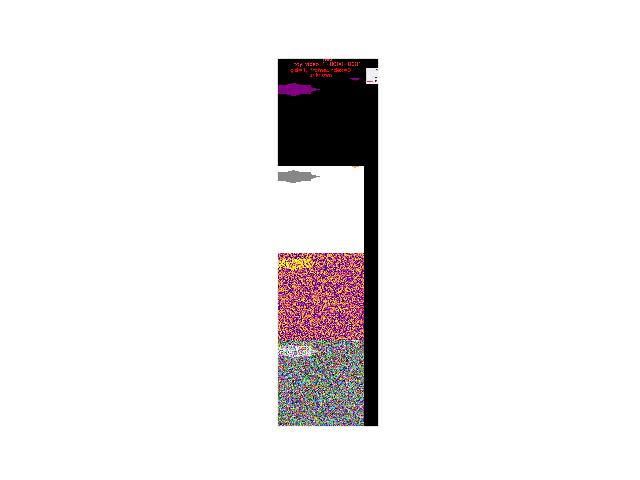
>>> canvas, _ = draw_chunked_confusion(
>>>     full_classes, true_coco_imgs, chunk_info, title=title,
>>>     config=config)
>>> kwplot.imshow(canvas)
>>> kwplot.show_if_requested()
>>> print(np.unique(info['saliency_weights']))
- kwcoco.metrics.segmentation_metrics.single_image_segmentation_metrics(pred_coco_img, true_coco_img, true_classes, true_dets, video1=None, thresh_bins=None, config=None)[source]
DEPRECATED, Use SingleImageSegmentationMetrics instead
- Parameters:
true_coco_img (kwcoco.CocoImage) – detached true coco image
pred_coco_img (kwcoco.CocoImage) – detached predicted coco image
thresh_bins (int) – if specified rounds scores into this many bins to make calculating metrics more efficient
config (None | dict) – see usage
- kwcoco.metrics.segmentation_metrics.colorize_class_probs(probs, classes)[source]
probs = pred_cat_ohe classes = pred_classes
- kwcoco.metrics.segmentation_metrics.draw_truth_borders(true_dets, canvas, alpha=1.0, color=None)[source]
- kwcoco.metrics.segmentation_metrics.draw_chunked_confusion(full_classes, true_coco_imgs, chunk_info, title=None, config=None)[source]
Draw a a sequence of true/pred image predictions
- kwcoco.metrics.segmentation_metrics.dump_chunked_confusion(full_classes, true_coco_imgs, chunk_info, heatmap_dpath, title=None, config=None)[source]
Draw and write a sequence of true/pred image predictions
- kwcoco.metrics.segmentation_metrics.evaluate_segmentations(true_coco, pred_coco, eval_dpath=None, eval_fpath=None, config=None)[source]
Todo
[ ] Fold non-critical options into the config
CommandLine
XDEV_PROFILE=1 xdoctest -m geowatch.tasks.fusion.evaluate evaluate_segmentations
Example
>>> # xdoctest: +REQUIRES(module:kwutil)
>>> from kwcoco.coco_evaluator import CocoEvaluator
>>> from kwcoco.demo.perterb import perterb_coco
>>> import kwcoco
>>> true_coco1 = kwcoco.CocoDataset.demo('vidshapes2', image_size=(64, 64))
>>> true_coco2 = kwcoco.CocoDataset.demo('shapes2', image_size=(64, 64))
>>> #true_coco1 = kwcoco.CocoDataset.demo('vidshapes9')
>>> #true_coco2 = kwcoco.CocoDataset.demo('shapes128')
>>> true_coco = kwcoco.CocoDataset.union(true_coco1, true_coco2)
>>> kwargs = {
>>>     'box_noise': 0.5,
>>>     'n_fp': (0, 10),
>>>     'n_fn': (0, 10),
>>>     'with_probs': True,
>>>     'with_heatmaps': True,
>>>     'verbose': 1,
>>> }
>>> # TODO: it would be nice to demo the soft metrics
>>> # functionality by adding "salient_prob" or "class_prob"
>>> # auxiliary channels to this demodata.
>>> print('perterbing')
>>> pred_coco = perterb_coco(true_coco, **kwargs)
>>> eval_dpath = ub.Path.appdir('kwcoco/tests/fusion_eval').ensuredir()
>>> print('eval_dpath = {!r}'.format(eval_dpath))
>>> config = {}
>>> config['score_space'] = 'image'
>>> draw_curves = 'auto'
>>> draw_heatmaps = 'auto'
>>> #draw_heatmaps = False
>>> config['workers'] = 'min(avail-2,6)'
>>> #workers = 0
>>> evaluate_segmentations(true_coco, pred_coco, eval_dpath, config=config)
Example
>>> # xdoctest: +REQUIRES(env:SLOW_DOCTEST)
>>> # xdoctest: +REQUIRES(module:kwutil)
>>> from kwcoco.metrics.segmentation_metrics import *  # NOQA
>>> from kwcoco.coco_evaluator import CocoEvaluator
>>> from kwcoco.demo.perterb import perterb_coco
>>> import kwcoco
>>> true_coco = kwcoco.CocoDataset.demo('vidshapes2', image_size=(512, 512))
>>> kwargs = {
>>>     'box_noise': 0.5,
>>>     'n_fp': (0, 10),
>>>     'n_fn': (0, 10),
>>>     'with_probs': True,
>>>     'with_heatmaps': True,
>>>     'verbose': 1,
>>> }
>>> # TODO: it would be nice to demo the soft metrics
>>> # functionality by adding "salient_prob" or "class_prob"
>>> # auxiliary channels to this demodata.
>>> print('perterbing')
>>> pred_coco = perterb_coco(true_coco, **kwargs)
>>> eval_dpath = ub.Path.appdir('kwcoco/tests/fusion_eval-video').ensuredir()
>>> print('eval_dpath = {!r}'.format(eval_dpath))
>>> config = {}
>>> config['score_space'] = 'video'
>>> config['draw_weights'] = True
>>> config['balance_area'] = True
>>> draw_curves = 'auto'
>>> draw_heatmaps = 'auto'
>>> #draw_heatmaps = False
>>> config['workers'] = 'min(avail-2,6)'
>>> config['workers'] = 1
>>> #workers = 0
>>> evaluate_segmentations(true_coco, pred_coco, eval_dpath, config=config)
- kwcoco.metrics.segmentation_metrics._redraw_measures(eval_dpath)[source]
hack helper for developer, not critical
- kwcoco.metrics.segmentation_metrics._max_digits(max_num)[source]
- Use like this:
your_var = 231 max_num = 9180 num_digits = _max_digits(max_num) f’{your_var:0{num_digits}d}’ # or f’{your_var:0{_max_digits(max_num)}d}’
- kwcoco.metrics.segmentation_metrics.associate_images(dset1, dset2, key_fallback=None, valid_image_ids=None)[source]
Builds an association between image-ids in two datasets.
One use for this is if
dset1is a truth dataset anddset2is a prediction dataset, and you need the to know which images are in common so they can be scored.- Parameters:
dset1 (kwcoco.CocoDataset) – a kwcoco dataset.
dset2 (kwcoco.CocoDataset) – another kwcoco dataset
key_fallback (str) – The fallback key to use if the image “name” is not specified. This can either be “file_name” or “id” or None.
valid_image_ids (set | None) – if given, filter out matches where the truth image ids are not in this set.
Todo
[ ] port to kwcoco proper
[ ] use in kwcoco eval as a robust image/video association method
Example
>>> import kwcoco
>>> from kwcoco.demo.perterb import perterb_coco
>>> dset1 = kwcoco.CocoDataset.demo('shapes2')
>>> kwargs = {
>>>     'box_noise': 0.5,
>>>     'n_fp': (0, 10),
>>>     'n_fn': (0, 10),
>>> }
>>> dset2 = perterb_coco(dset1, **kwargs)
>>> matches = associate_images(dset1, dset2, key_fallback='file_name')
>>> assert len(matches['image']['match_gids1'])
>>> assert len(matches['image']['match_gids2'])
>>> assert not len(matches['video'])
Example
>>> import kwcoco
>>> from kwcoco.demo.perterb import perterb_coco
>>> dset1 = kwcoco.CocoDataset.demo('vidshapes2')
>>> kwargs = {
>>>     'box_noise': 0.5,
>>>     'n_fp': (0, 10),
>>>     'n_fn': (0, 10),
>>> }
>>> dset2 = perterb_coco(dset1, **kwargs)
>>> matches = associate_images(dset1, dset2, key_fallback='file_name')
>>> assert not len(matches['image']['match_gids1'])
>>> assert not len(matches['image']['match_gids2'])
>>> assert len(matches['video'])
- kwcoco.metrics.segmentation_metrics.build_image_header_text(**kwargs)[source]
A heuristic for what sort of info is useful to plot on the header of an image.
- Kwargs:
img coco_dset vidname, _header_extra
gid, frame_index, dset_idstr, name, sensor_coarse, date_captured
Example
>>> img = {
>>>     'id': 1,
>>>     'frame_index': 0,
>>>     'date_captured': '2020-01-01',
>>>     'name': 'BLARG',
>>>     'sensor_coarse': 'Sensor1',
>>> }
>>> kwargs = {
>>>     'img': img,
>>>     'dset_idstr': '',
>>>     'name': '',
>>>     '_header_extra': None,
>>> }
>>> header_lines = build_image_header_text(**kwargs)
>>> print('header_lines = {}'.format(ub.urepr(header_lines, nl=1)))
- kwcoco.metrics.segmentation_metrics.ensure_heuristic_coco_colors(coco_dset, force=False)[source]
- Parameters:
coco_dset (kwcoco.CocoDataset) – object to modify
force (bool) – if True, overwrites existing colors if needed
Todo
- [ ] Move this non-heuristic functionality to
kwcoco.CocoDataset.ensure_class_colors()
Example
>>> import kwcoco
>>> coco_dset = kwcoco.CocoDataset.demo()
>>> ensure_heuristic_coco_colors(coco_dset)
>>> assert all(c['color'] for c in coco_dset.cats.values())
- kwcoco.metrics.segmentation_metrics.ensure_heuristic_category_tree_colors(classes, force=False)[source]
- Parameters:
classes (kwcoco.CategoryTree) – object to modify
force (bool) – if True, overwrites existing colors if needed
Todo
- [ ] Move this non-heuristic functionality to
kwcoco.CategoryTree.ensure_colors()
[ ] Consolidate with ~/code/watch/geowatch/tasks/fusion/utils :: category_tree_ensure_color
[ ] Consolidate with ~/code/watch/geowatch/utils/kwcoco_extensions :: category_category_colors
[ ] Consolidate with ~/code/watch/geowatch/heuristics.py :: ensure_heuristic_category_tree_colors
[ ] Consolidate with ~/code/watch/geowatch/heuristics.py :: ensure_heuristic_coco_colors
Example
>>> # xdoctest: +REQUIRES(module:kwutil)
>>> import kwcoco
>>> classes = kwcoco.CategoryTree.coerce(['ignore', 'positive', 'Active Construction', 'foobar', 'Unknown', 'baz'])
>>> ensure_heuristic_category_tree_colors(classes)
>>> assert all(d['color'] for n, d in classes.graph.nodes(data=True))
- kwcoco.metrics.segmentation_metrics.colorize_weights(weights)[source]
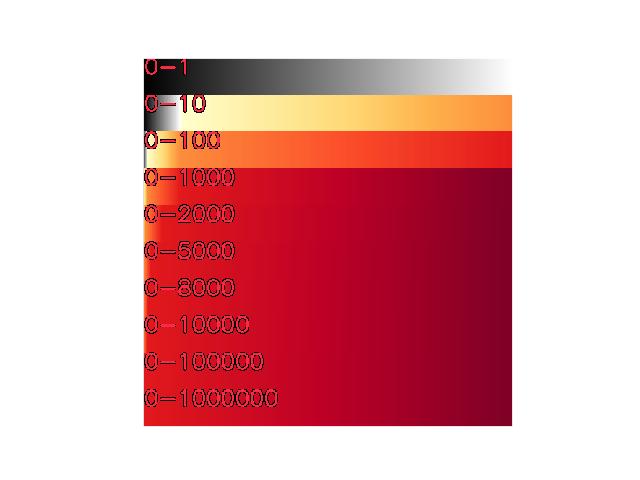
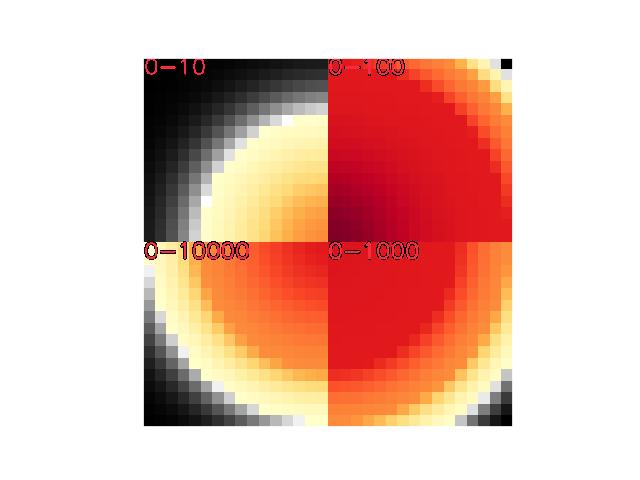
Normally weights will range between 0 and 1, but in some cases they may range higher. We handle this by coloring the 0-1 range in grayscale and the 1-infinity range in color.
This could move to kwplot, or even kwimage.Heatmap, but we want to figure out a better name to indicate this is for things that “should be” in the 0-1 range, but there are cases where a weight of 1 can be exceeded.
We should also be able to return a legend for this.
Example
>>> # xdoctest: +REQUIRES(module:kwplot)
>>> import kwarray
>>> weights = kwimage.gaussian_patch((32, 32))
>>> weights = kwarray.normalize(weights)
>>> weights[:16, :16] *= 10
>>> weights[16:, :16] *= 100
>>> weights[16:, 16:] *= 1000
>>> weights[:16, 16:] *= 10000
>>> canvas = colorize_weights(weights)
>>> # xdoctest: +REQUIRES(--show)
>>> canvas = kwimage.imresize(canvas, dsize=(512, 512), interpolation='nearest').clip(0, 1)
>>> canvas = kwimage.draw_text_on_image(canvas, '0-10', org=(1, 1), border=True)
>>> canvas = kwimage.draw_text_on_image(canvas, '0-100', org=(256, 1), border=True)
>>> canvas = kwimage.draw_text_on_image(canvas, '0-1000', org=(256, 256), border=True)
>>> canvas = kwimage.draw_text_on_image(canvas, '0-10000', org=(1, 256), border=True)
>>> import kwplot
>>> import kwplot
>>> kwplot.plt.ion()
>>> kwplot.imshow(canvas)
Example
>>> # xdoctest: +REQUIRES(module:kwplot)
>>> import kwarray
>>> weights = kwimage.gaussian_patch((32, 32))
>>> n = 512
>>> weight_rows = [
>>>     np.linspace(0, 1, n),
>>>     np.linspace(0, 10, n),
>>>     np.linspace(0, 100, n),
>>>     np.linspace(0, 1000, n),
>>>     np.linspace(0, 2000, n),
>>>     np.linspace(0, 5000, n),
>>>     np.linspace(0, 8000, n),
>>>     np.linspace(0, 10000, n),
>>>     np.linspace(0, 100000, n),
>>>     np.linspace(0, 1000000, n),
>>> ]
>>> canvas = np.array([colorize_weights(row[None, :])[0] for row in weight_rows])
>>> # xdoctest: +REQUIRES(--show)
>>> canvas = kwimage.imresize(canvas, dsize=(512, 512), interpolation='nearest').clip(0, 1)
>>> p = int(512 / len(weight_rows))
>>> canvas = kwimage.draw_text_on_image(canvas, '0-1', org=(1, 1 + p * 0), border=True)
>>> canvas = kwimage.draw_text_on_image(canvas, '0-10', org=(1, 1 + p * 1), border=True)
>>> canvas = kwimage.draw_text_on_image(canvas, '0-100', org=(1, 1 + p * 2), border=True)
>>> canvas = kwimage.draw_text_on_image(canvas, '0-1000', org=(1, 1 + p * 3), border=True)
>>> canvas = kwimage.draw_text_on_image(canvas, '0-2000', org=(1, 1 + p * 4), border=True)
>>> canvas = kwimage.draw_text_on_image(canvas, '0-5000', org=(1, 1 + p * 5), border=True)
>>> canvas = kwimage.draw_text_on_image(canvas, '0-8000', org=(1, 1 + p * 6), border=True)
>>> canvas = kwimage.draw_text_on_image(canvas, '0-10000', org=(1, 1 + p * 7), border=True)
>>> canvas = kwimage.draw_text_on_image(canvas, '0-100000', org=(1, 1 + p * 8), border=True)
>>> canvas = kwimage.draw_text_on_image(canvas, '0-1000000', org=(1, 1 + p * 9), border=True)
>>> import kwplot
>>> import kwplot
>>> kwplot.plt.ion()
>>> kwplot.imshow(canvas)